In today’s fast-paced digital world, safeguarding your personal and professional information is more critical than ever. We’re constantly bombarded with documents containing sensitive data, from bank statements and tax records to client contracts and medical reports. Simply tossing these into the recycling bin is an open invitation for identity theft and data breaches. That’s where a micro-cut paper shredder becomes your indispensable ally, offering a level of security that other shredder types simply can’t match. As an expert with over 15 years in the field and a content creator for Mrouk.com, I’m here to demystify these powerful machines, guiding you through their benefits, selection, maintenance, and troubleshooting, ensuring your peace of mind.
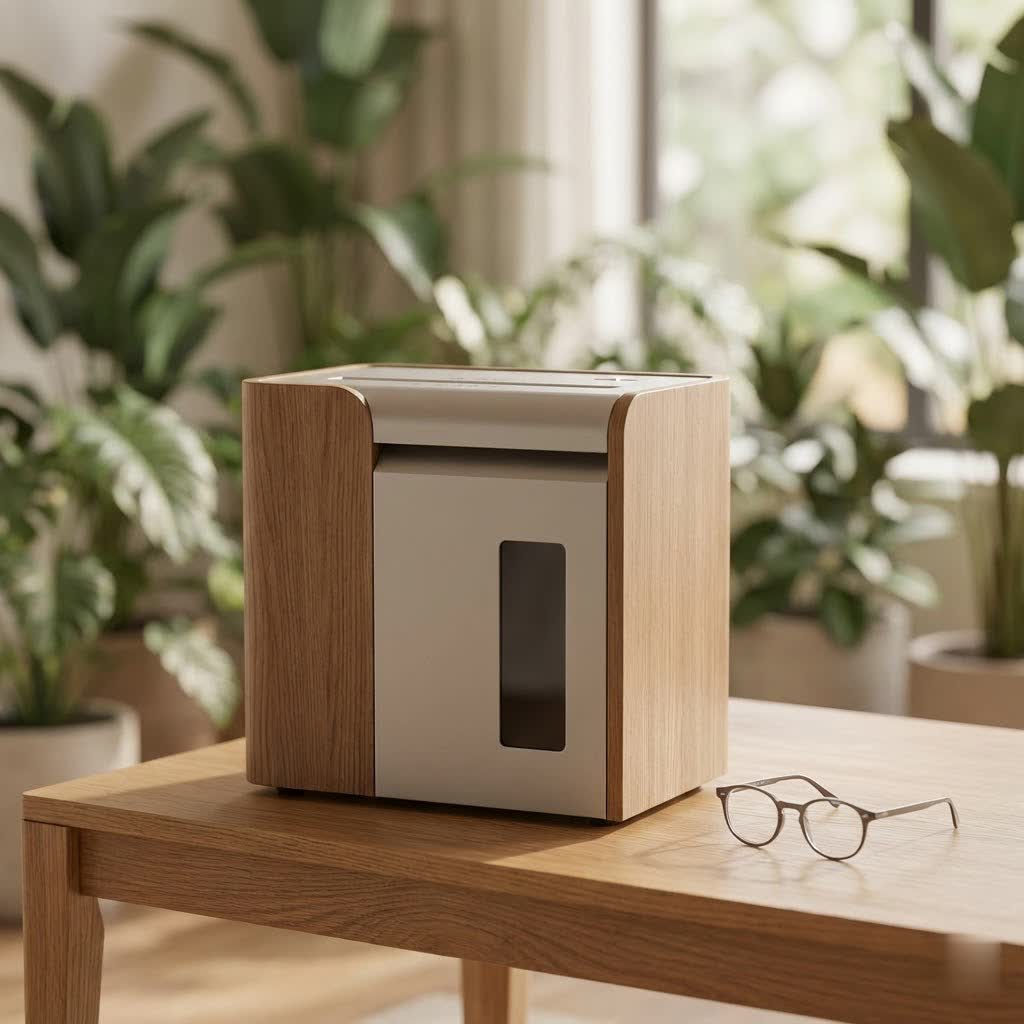
What Exactly is a Micro-Cut Paper Shredder?
At its core, a micro-cut paper shredder is engineered for maximum data protection. Unlike basic strip-cut shredders that produce long, easily reassembled strips, or even cross-cut shredders that create small rectangular pieces, a micro-cut shredder takes document destruction to the next level. It meticulously cuts paper both lengthwise and widthwise into minuscule, confetti-like particles, often no larger than a grain of rice. These tiny fragments are virtually impossible to reconstruct, making them the gold standard for destroying highly confidential information.
This superior destruction capability is officially recognized by DIN security levels, an international standard that classifies shredders based on the size of the shredded particles. Micro-cut shredders typically fall into the P-5, P-6, or even P-7 categories. To give you an idea, a single A4 sheet shredded by a P-5 machine turns into over 2,000 indiscernible pieces, while a P-7 can create more than 12,500 fragments. When you choose a micro-cut paper shredder, you’re not just shredding paper; you’re annihilating data.
The Unbeatable Advantages of Micro-Cut Shredders
Why should a micro-cut paper shredder be your top choice? The advantages extend far beyond mere paper disposal:
- Superior Security: This is the paramount benefit. For individuals, it means unparalleled protection against identity theft from discarded financial statements, utility bills, or personal records. For businesses, micro-cut shredders are crucial for complying with stringent data protection regulations like HIPAA, FACTA, and GLBA, safeguarding client, patient, and employee information. They transform sensitive documents into tiny, unrecoverable waste, offering the highest level of assurance that your confidential data remains just that – confidential.
- Space Efficiency: The tiny particles produced by a micro-cut shredder take up significantly less space in the waste bin compared to strip-cut or even cross-cut shreds. This means you can shred more documents before needing to empty the bin, leading to greater efficiency and less frequent interruptions, especially when tackling large volumes.
- Versatility (Model Dependent): Many modern micro-cut shredders are designed to handle more than just paper. Depending on the model, they can safely destroy staples, small paper clips, credit cards, and even CDs or DVDs. This multi-media capability ensures comprehensive data destruction across various formats, eliminating the need to manually remove fasteners or use separate devices for other materials.
- Generally Quieter Operation: While shredders aren’t silent, many micro-cut models are engineered with quieter motors compared to some of their less advanced counterparts. This can be a significant advantage in a home office or a shared professional environment, minimizing disruption and creating a more pleasant workspace.
“Investing in a micro-cut shredder isn’t just about owning a piece of office equipment; it’s about investing in absolute peace of mind for your most sensitive data,” shares Michael Rossi, Mrouk.com’s Lead Paper Shredder Analyst. “The difference in security is night and day, making it an essential tool for anyone serious about protecting their information.”
Micro-Cut vs. Other Shredder Types: A Security Showdown
To truly appreciate the power of a micro-cut shredder, it’s helpful to understand how it stacks up against its predecessors.
Strip-Cut Shredders: The Basics
Strip-cut shredders are the most basic and oldest type. They cut paper into long, narrow strips, much like spaghetti.
- Pros: Fastest shredding speed, generally the most affordable.
- Cons: Offers the lowest level of security (DIN P-1 or P-2). Documents can often be easily reconstructed with minimal effort, making them suitable only for non-sensitive junk mail or casual disposal where security isn’t a concern. For any truly confidential documents, strip-cut is simply not enough.
|
Our Picks for the Best Paper Shredder in 2026
As an Amazon Associate I earn from qualifying purchases.
|
||
| Num | Product | Action |
|---|---|---|
| 1 | Suntiko Small Paper Shredder for Home, 6 Sheet Strip Cut Paper Shredder Without Basket,Portable Shredder Extendable Arm Design with Overheat Protection for Home Office |

|
| 2 | Amazon Basics Cross Cut Paper and Credit Card Shredder, 12 Sheet (New Model), Black |
|
| 3 | Fellowes 14C10 14-Sheet Cross-Cut Home Office Paper Shredder |
|
| 4 | Woolsche 12-Sheet Cross Cut Paper Shredder with Large 5.55-Gallon Basket - P-4 Security, 3-Mode Shred for Cards/CDs/Staples/Clips - Jam Proof System for Office (ETL Certified) |
|
| 5 | Amazon Basics 6 Sheet Cross Cut Paper and Credit Card Home Office Shredder with 3.8 Gallon Bin, Black |
|
| 6 | Amazon Basics Paper Shredder for Home and Office, 8-Sheet Strip Cut, CD/ Credit Card Shredder, 3.4 Gallon Wastebasket , Black |
|
| 7 | Amazon Basics 8-Sheet Cross Cut Paper Shredder and Credit Card Shredder - Black |
|
| 8 | Amazon Basics 200-Sheet Auto Feed Cross Cut Paper Shredder with Pullout Basket, Black |
|
| 9 | Amazon Basics 8-Sheet Strip Cut Paper, CD, and Credit Card Shredder with Auto-Off Compact, Portable Design, No Basket, Extendable Arm, Black |
|
| 10 | Amazon Basics Cross Cut Paper and Credit Card Shredder for Security - 8-Sheet, Heavy Duty, White |
|
Cross-Cut Shredders: A Step Up
Cross-cut shredders were a significant improvement, cutting paper both lengthwise and widthwise into small rectangular or diamond-shaped pieces.
- Pros: Provides a moderate to good level of security (DIN P-3 or P-4), making documents much harder to reassemble than strip-cut. Suitable for general confidential documents like invoices or non-critical reports.
- Cons: While better than strip-cut, the pieces are still large enough that with enough time and determination (and specialized software), reconstruction is not entirely impossible. They may also fill the bin faster than micro-cut.
Why Micro-Cut Dominates for High Security
When comparing a micro-cut paper shredder to strip-cut and cross-cut, the micro-cut clearly emerges as the superior choice for high-security needs. The fundamental difference lies in the particle size. Micro-cut shredders achieve DIN P-5, P-6, and P-7 security levels, turning your documents into incredibly tiny, unidentifiable confetti. This virtually eliminates any realistic chance of data reconstruction, making it the ideal solution for protecting top-secret documents, medical records, financial statements, and other highly sensitive information. While they might operate slightly slower or come with a higher price tag than cross-cut models, the enhanced security they offer is an invaluable trade-off in our data-vulnerable world.
Choosing Your Perfect Micro-Cut Shredder: What to Look For
Selecting the right micro-cut paper shredder requires careful consideration of your specific needs. Here’s a checklist of key factors to evaluate:
Security Level (P-Rating)
Determine the sensitivity of the documents you’ll be shredding. For typical home use with financial statements, a P-4 or P-5 might suffice. For businesses dealing with highly classified or legally protected information, aiming for P-5 or higher is strongly recommended. The higher the P-rating, the smaller the shred and the greater the security.
Sheet Capacity & Run Time
How many sheets do you typically shred at once?
- Sheet Capacity: This refers to the maximum number of sheets the shredder can handle in a single pass. Personal use models might handle 6-10 sheets, while office-grade shredders can process 15-20 sheets or more. Overloading consistently can damage the motor and blades.
- Run Time: This is the duration the shredder can operate continuously before needing to cool down. Home office shredders might have run times of 5-10 minutes, while heavy-duty models can run for 20-30 minutes, or even continuously, making them suitable for larger shredding jobs.
Bin Volume
The capacity of the waste bin dictates how frequently you’ll need to empty it. Since micro-cut shreds are so compact, a smaller bin can still hold a surprising amount. However, for high-volume shredding, a larger bin (measured in gallons or liters) will reduce interruptions. Look for models with easy-to-empty pull-out bins.
Noise Level
Shredders can be noisy, but some micro-cut models are designed for quieter operation, often around 60-70 decibels. If your shredder will be in a shared living space or a quiet office environment, a low-decibel model can significantly improve comfort.
Auto-Feed & Anti-Jam Features
These features enhance convenience and prevent frustration:
- Auto-Feed: Allows you to load a stack of paper (e.g., 100+ sheets) and walk away, letting the shredder process them automatically. This is a massive time-saver for large shredding tasks.
- Anti-Jam Technology: Many micro-cut shredders come with sensors that detect potential jams and automatically reverse the blades to clear them, or indicate when too much paper has been inserted. This prevents motor strain and prolongs the machine’s life.
Shredding Other Materials
If you need to dispose of credit cards, CDs, DVDs, or laminated documents, ensure the micro-cut shredder you choose has a dedicated slot and the capability to handle these materials. Not all models can.
Keeping Your Micro-Cut Shredder Running Smoothly: Essential Maintenance
Proper maintenance is key to extending the life and ensuring the efficient, secure operation of your micro-cut paper shredder. Neglecting it can lead to jams, motor strain, and premature wear.
The Importance of Oiling: The Lifeline of Your Shredder
Regular oiling is arguably the most critical maintenance step for any shredder, especially micro-cut models with their intricate blades.
- How Often: A good rule of thumb is to oil your shredder every time you empty the waste bin, or at least once a month for moderate use. For heavy daily use, consider oiling every 2-3 days. You’ll notice it’s time for oil if the shredder starts sounding strained, slowing down, or making unusual noises.
- What Type of Oil: Always use manufacturer-approved shredder oil. Never substitute with WD-40, vegetable oil, or other lubricants, as these can gum up the blades, attract dust, and cause irreversible damage.
- How to Oil: Apply a zigzag line of shredder oil across a sheet of paper. Run this paper through the shredder. For best results, run it forward and then briefly in reverse to distribute the oil evenly across the cutters.
Regular Bin Emptying: Preventing Overfills and Jams
Even with the space efficiency of micro-cut shreds, a full bin can cause issues. Overfilling the bin can lead to paper backing up into the cutting mechanism, causing jams or putting unnecessary strain on the motor. Many shredders have a window or a sensor to indicate when the bin is full. Empty it promptly to maintain optimal performance.
Avoiding Overloading
Every shredder has a specified sheet capacity. Consistently feeding more sheets than recommended is a primary cause of paper jams and motor burnout. Always adhere to the manufacturer’s guidelines for sheet capacity to ensure smooth operation.
Cleaning the Blades
Over time, paper dust and tiny particles can accumulate on and around the cutting blades.
- Frequency: Once a month, or after a particularly large shredding session.
- Method: Unplug the shredder first! Use a can of compressed air to blow away dust. For stubborn bits of paper, carefully use tweezers or small pliers to remove them, ensuring the shredder is completely off and unplugged. Never use your fingers directly on the blades.
Cooling Down: Preventing Overheating
Continuous shredding generates heat. Most shredders have a built-in thermal protection system that will shut the machine down if it overheats. While this protects the motor, it also interrupts your work. Allow your shredder to cool down for the recommended period (often 20-30 minutes) if it triggers its thermal cut-off. Respecting the “run time” limits is the best way to prevent this.
Troubleshooting Common Micro-Cut Shredder Problems
Even with proper maintenance, you might encounter issues. Here are quick solutions to common micro-cut shredder problems:
Paper Jams: Your Shredder’s Worst Nightmare
Paper jams are the most frequent problem, often caused by overloading, not oiling, or trying to shred inappropriate materials.
- Solution 1 (Reverse): Immediately switch the shredder to reverse mode. This often backs out the jammed paper. Alternate between forward and reverse a few times if needed.
- Solution 2 (Manual Removal): If reverse doesn’t work, unplug the shredder immediately. Empty the waste bin. Carefully remove the shredder head (if detachable). Use tweezers or small pliers to pull out visible paper fragments from the cutting mechanism. Be extremely cautious as blades are sharp. Once cleared, plug it back in and try running it in reverse, then forward with a single sheet of paper.
- Prevention: Always adhere to the sheet capacity, oil regularly, and don’t shred items not designed for your machine.
Overheating Issues
If your shredder suddenly stops mid-task and won’t turn back on, it’s likely due to overheating.
- Solution: Simply unplug the shredder and let it cool down for at least 20-30 minutes. Once it’s cool, it should reset and function normally.
- Prevention: Respect the manufacturer’s continuous run time limits. If you have a large volume of shredding, break it into smaller sessions with cooling periods in between.
Unusual Noises
A grinding, squealing, or excessively loud noise usually indicates friction or a foreign object.
- Solution: First, try oiling the blades as described above. If the noise persists, unplug the shredder and inspect the cutting mechanism for any foreign objects (like a piece of a paperclip or a stapler part) that might be caught. Carefully remove any obstruction. If the problem continues, there might be internal wear, and professional servicing might be required.
Shredder Stops Running Mid-Use Unexpectedly
Beyond overheating, a shredder might stop due to other reasons.
- Solution: Check if the waste bin is correctly seated and fully closed; many shredders have safety interlocks that prevent operation if the bin isn’t secure. Also, ensure the power cord is firmly plugged into both the shredder and the outlet, and that the outlet itself is live. Occasionally, a blown fuse in the plug (for some regions) or the shredder itself could be the culprit.
Frequently Asked Questions (FAQ)
What is the main difference between cross-cut and micro-cut shredders?
The primary difference lies in the particle size and security level. Cross-cut shredders produce small rectangular pieces (P-3/P-4), while micro-cut shredders create significantly smaller, confetti-like particles (P-5 and higher), making data reconstruction virtually impossible.
How often should I oil my micro-cut shredder?
It’s generally recommended to oil your micro-cut shredder every time you empty the waste bin. For heavy daily use, you might need to oil it every 2-3 days, or whenever you notice a slowdown or increased noise during operation.
Can micro-cut shredders shred credit cards and CDs?
Many micro-cut shredders are designed to handle credit cards and CDs, but not all. Always check the product specifications of your particular model to ensure it has multi-media shredding capabilities. Look for a dedicated slot for these items.
Are micro-cut shredders slower than other types?
Yes, micro-cut shredders typically process paper slightly slower than strip-cut or even some cross-cut models. This is because the blades perform a more intricate cutting action to create smaller particles, which requires more time per sheet. However, the trade-off is significantly enhanced security.
What DIN security level do micro-cut shredders typically offer?
Micro-cut shredders usually offer DIN security levels of P-5, P-6, or P-7. A P-5 rating means an A4 sheet is shredded into over 2,000 particles, while P-7, the highest level, produces more than 12,500 particles, offering the ultimate data protection.
What should I do if my micro-cut shredder jams?
If your micro-cut shredder jams, immediately switch it to reverse to try and clear the paper. If that doesn’t work, unplug the machine, empty the bin, and carefully remove any visible paper fragments from the cutting mechanism using tweezers. Never use your fingers.
How do I know if my micro-cut shredder needs oil?
Signs that your micro-cut shredder needs oil include a strained or louder operating sound, a noticeable slowdown in shredding speed, or the machine struggling to process its usual sheet capacity. Regular oiling prevents these issues before they become problems.
Secure Your Future with a Micro-Cut Shredder
In an era where personal and professional data is a valuable commodity, protecting your sensitive information is non-negotiable. A micro-cut paper shredder stands as your first line of defense, offering unparalleled security for documents that, if exposed, could lead to significant financial, reputational, or legal repercussions. By understanding how these machines work, what to look for when buying one, and how to properly maintain them, you’re not just buying a shredder – you’re investing in peace of mind. Make the smart choice today to safeguard your privacy and secure your future with a micro-cut paper shredder.
