In our increasingly digital world, it’s easy to forget that physical documents still hold a treasure trove of sensitive information. From old bank statements and utility bills to personal records and confidential business reports, letting these documents fall into the wrong hands is a major security risk. That’s where a reliable paper shredder comes in, and for many, an Amazon Basics Paper Shredder offers an accessible and effective solution. As a seasoned expert in document destruction with over 15 years in the field, and as a content creator for Mrouk.com, I’ve seen countless machines come and go, but the Amazon Basics range consistently proves to be a practical choice for securing your information.
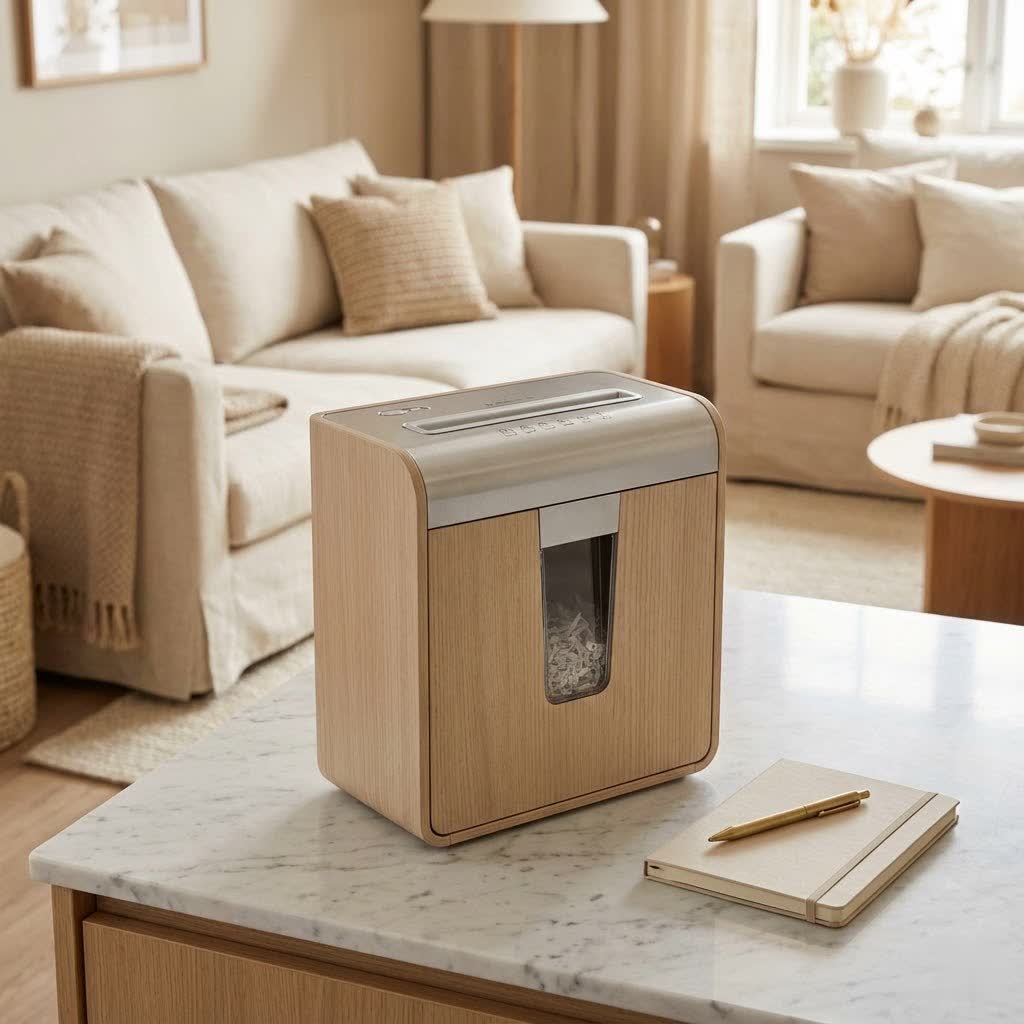
Choosing the right shredder might seem straightforward, but with various types, capacities, and features available, it pays to understand what makes a good machine. This guide will walk you through everything you need to know about Amazon Basics paper shredders, from selecting the ideal model for your needs to mastering its use and keeping it running smoothly for years to come.
Why Choose an Amazon Basics Paper Shredder?
When it comes to safeguarding your personal and professional data, an Amazon Basics paper shredder often hits the sweet spot between affordability, functionality, and ease of use. They’ve become a go-to for many homeowners and small businesses, and for good reason.
Firstly, affordability and value are key drivers. Amazon Basics products are known for offering solid performance without breaking the bank. This makes secure document disposal accessible to a wider audience, which, in my experience, is crucial for promoting good security habits.
Secondly, they offer a diverse range of models. Whether you need something for occasional home use or a more robust machine for a busy home office, Amazon Basics likely has a shredder to fit. This includes different shred types, which we’ll delve into shortly, ensuring you can match the security level to your specific needs.
Finally, their ease of use is a major plus. Most Amazon Basics shredders feature intuitive controls, auto start/stop functions, and easy-to-empty bins, making the shredding process as hassle-free as possible. While they might not boast every high-end feature of commercial-grade machines, for daily tasks, they offer commendable reliability at their price point.
Deciphering Amazon Basics Shredder Types
Understanding the different shred types is paramount when selecting an Amazon Basics paper shredder. Each type offers a different level of security, and knowing which one suits your requirements is the first step to making an informed decision.
Strip-Cut Shredders: The Basics
Strip-cut shredders are the most basic and, typically, the least expensive option in the Amazon Basics lineup.
- Pros: These machines cut paper into long, thin strips. They are usually very fast, allowing you to shred a large volume of paper quickly. They are also generally less prone to jamming due to the simpler cutting mechanism.
- Cons: The primary drawback is security. Because the paper is cut into strips, it can theoretically be reassembled, though it would be a tedious task. For highly sensitive documents, a strip-cut shredder simply doesn’t offer adequate protection. They are suitable for junk mail and non-confidential documents.
|
Our Picks for the Best Paper Shredder in 2026
As an Amazon Associate I earn from qualifying purchases.
|
||
| Num | Product | Action |
|---|---|---|
| 1 | Amazon Basics 8-Sheet Cross Cut Paper Shredder and Credit Card Shredder - Black |

|
| 2 | Amazon Basics 8-Sheet Strip Cut Paper, CD, and Credit Card Shredder with Auto-Off Compact, Portable Design, No Basket, Extendable Arm, Black |
|
| 3 | Amazon Basics Cross Cut Paper and Credit Card Shredder, 12 Sheet (New Model), Black |
|
| 4 | Woolsche 12-Sheet Cross Cut Paper Shredder with Large 5.55-Gallon Basket - P-4 Security, 3-Mode Shred for Cards/CDs/Staples/Clips - Jam Proof System for Office (ETL Certified) |
|
| 5 | Fellowes 14C10 14-Sheet Cross-Cut Home Office Paper Shredder |
|
| 6 | Amazon Basics Paper Shredder for Home and Office, 8-Sheet Strip Cut, CD/ Credit Card Shredder, 3.4 Gallon Wastebasket , Black |
|
| 7 | Amazon Basics 6 Sheet Cross Cut Paper and Credit Card Home Office Shredder with 3.8 Gallon Bin, Black |
|
| 8 | Amazon Basics Cross Cut Paper and Credit Card Shredder for Security - 8-Sheet, Heavy Duty, White |
|
| 9 | Suntiko Small Paper Shredder for Home, 6 Sheet Strip Cut Paper Shredder Without Basket,Portable Shredder Extendable Arm Design with Overheat Protection for Home Office |
|
| 10 | Amazon Basics 200-Sheet Auto Feed Cross Cut Paper Shredder with Pullout Basket, Black |
|
Cross-Cut Shredders: The Home Office Hero
Cross-cut shredders are a significant step up in security and are arguably the most popular choice for home and small office use.
- Pros: Instead of strips, these machines cut paper into small, confetti-like pieces. This dramatically increases the difficulty of reassembling documents, offering a much higher level of security (typically P-3 or P-4). They are ideal for bank statements, tax documents, and personal records. Many Amazon Basics cross-cut models can also handle staples and credit cards.
- Cons: Cross-cut shredders are generally slower than strip-cut models and the smaller particles mean the waste bin can fill up more quickly, requiring more frequent emptying. They also tend to be slightly noisier and more expensive.
Micro-Cut Shredders: Maximum Security for Sensitive Data
For the ultimate in document destruction, micro-cut shredders are the way to go.
- Pros: These machines reduce paper to incredibly tiny, dust-like particles, making reconstruction virtually impossible (often P-5 security level). If you’re dealing with highly sensitive financial data, legal documents, or proprietary business information, an Amazon Basics micro-cut shredder offers peace of mind.
- Cons: Micro-cut shredders are the slowest of the three types, have the highest cost, and often come with smaller bin capacities due to the sheer volume of tiny particles they produce. They also require more frequent oiling and careful maintenance to prevent jams.
“For most home users, a good quality cross-cut Amazon Basics shredder provides an excellent balance of security and affordability. However, if you handle extremely sensitive information, investing in a micro-cut model is a non-negotiable step for true data protection,” advises David Chen, a veteran in office security solutions.
Finding Your Perfect Amazon Basics Paper Shredder
Choosing the right Amazon Basics paper shredder involves more than just picking the first one you see. Consider these factors to ensure your shredder meets your specific needs.
Assess Your Security Needs (P-Levels)
This is the most critical factor. The DIN 66399 standard assigns P-levels (P-1 to P-7) to shredders, indicating the level of security they provide based on particle size.
- P-1/P-2: Strip-cut, basic security for non-confidential documents.
- P-3/P-4: Cross-cut, good for personal and business documents.
- P-5/P-6/P-7: Micro-cut and higher, for highly confidential and top-secret information.
For most home users, a P-3 or P-4 Amazon Basics cross-cut shredder is more than sufficient.
Consider Sheet Capacity and Run Time
- Sheet Capacity: How many sheets can the shredder handle in one pass? Amazon Basics models typically range from 6 to 12 sheets for home use, and up to 18-24 sheets for heavier-duty models. Overfeeding can lead to jams and wear out your machine quickly.
- Run Time (Duty Cycle): This specifies how long the shredder can continuously operate before needing to cool down. A 5-minute run time is common for personal shredders, while home office models might offer 10-20 minutes. Disregarding the duty cycle is a surefire way to shorten your shredder’s lifespan.
Bin Capacity and Convenience
Shredder bins typically range from 3-gallon for personal use to 6-8 gallons for home office models.
- A larger bin means less frequent emptying, which is a major convenience, especially with cross-cut or micro-cut models that produce more volume.
- Look for pull-out bins for easy disposal, rather than lift-off heads which can be messy.
Noise Levels: A Quiet Office is a Happy Office
Some shredders can be quite loud, which can be disruptive in a quiet home or office environment. While Amazon Basics shredders are generally not whisper-quiet, check reviews for specific models if noise is a concern for you. Many newer models are designed with quieter operation in mind.
Additional Features to Look For
- Auto Start/Stop: Most modern shredders have this, sensing when paper is inserted and stopping when the job is done.
- Manual Reverse Function: Absolutely essential for clearing paper jams.
- Overload Protection: Automatically stops the motor if too much paper is inserted, preventing damage.
- Overheat Protection: Shuts off the shredder if it gets too hot, protecting the motor.
Essential Tips for Using Your Amazon Basics Shredder
Even the best shredder needs to be used correctly to perform optimally and last. Over my years of shredding, I’ve seen some common mistakes that users make. Here’s how to avoid them with your Amazon Basics paper shredder:
Don’t Overfeed!
This is the golden rule of shredding. Every Amazon Basics shredder has a maximum sheet capacity. Exceeding this will put undue stress on the motor, increase the risk of paper jams, and ultimately shorten your machine’s life. Always check the specifications and feed fewer sheets if the paper is particularly thick or if you hear the motor straining.
Respect the Duty Cycle
As mentioned earlier, shredders aren’t designed to run indefinitely. Your Amazon Basics shredder will have a specified “run time” followed by a “cool-down period.” Ignoring this can lead to overheating and permanent motor damage. If your shredder shuts off due to overheating, let it cool down completely before attempting to use it again. A good rule of thumb is to shred in short bursts if you have a lot to get through.
Shredding More Than Paper (Staples, Credit Cards)
Many Amazon Basics cross-cut and micro-cut shredders are designed to handle small staples and credit cards. However, always double-check your specific model’s manual. Attempting to shred items it’s not designed for (like CDs/DVDs unless explicitly stated, large paper clips, or adhesive labels) can dull the blades and cause severe damage. When shredding credit cards, try to feed them one at a time through the designated slot if your model has one.
Proper Bin Emptying
A full shredder bin can sometimes lead to jams as shredded material backs up into the cutting mechanism. Empty the bin regularly, especially when it’s about two-thirds full. For models with a pull-out bin, this is straightforward. If you have a lift-off head, be careful to avoid scattering shredded confetti.
Keeping Your Amazon Basics Shredder in Top Shape: Maintenance Matters
Just like any other piece of equipment, your Amazon Basics paper shredder needs a little love to perform at its best and ensure a long lifespan. Proper maintenance isn’t complicated, but it’s often overlooked.
The Importance of Oiling Your Shredder
This is perhaps the most crucial maintenance step, yet many users neglect it. Oiling the blades reduces friction, keeps the cutting mechanism smooth, and prevents paper dust buildup.
How and When to Oil:
- Use Shredder Oil: Only use oil specifically designed for paper shredders. Never use WD-40, vegetable oil, or other lubricants, as they can gum up the blades. Amazon Basics often sells its own shredder oil.
- Application: For most Amazon Basics models, you can apply a zigzag pattern of oil across a sheet of paper, then shred that oiled sheet. Alternatively, some models allow you to squirt oil directly into the paper entry slot while running the shredder in reverse for a few seconds. Consult your manual for the recommended method.
- Frequency: Oil your shredder after every 30 minutes of cumulative shredding, or at least once a month for moderate use. If you notice the shredder slowing down, making more noise, or experiencing more jams, it’s definitely time for an oiling.
Cleaning the Shredder Blades
Over time, paper dust and small fibers can accumulate on the cutting blades, especially with micro-cut models. This can reduce efficiency and lead to jams.
- Method: After oiling, sometimes running a few sheets of paper through can help clear residue. For deeper cleaning, ensure the shredder is unplugged. You can use a soft brush or a can of compressed air to gently remove visible debris from the entry slot (be very careful not to touch the blades with your fingers).
General Care and Storage
- Keep your Amazon Basics shredder in a dry, dust-free environment.
- Unplug it when not in use, especially during extended periods.
- Avoid placing it where it can be easily knocked over.
Troubleshooting Common Amazon Basics Shredder Issues
Even with proper care, you might encounter a hiccup or two. Here’s how to address the most common issues with your Amazon Basics paper shredder.
Paper Jams: The Arch-Nemesis
A paper jam is arguably the most common and frustrating shredder problem.
How to Clear a Jam:
- Stop and Unplug: Immediately turn off and unplug the shredder. Safety first!
- Use Reverse Function: Plug the shredder back in and switch it to the “reverse” (R) setting. Often, this will back out the jammed paper. Gently pull on the paper from the entry slot while it’s in reverse, but never force it.
- Cycle Forward/Reverse: If the reverse function doesn’t work completely, try cycling between forward and reverse a few times. This can sometimes dislodge stubborn paper.
- Manual Removal (Extreme Caution!): If all else fails, unplug the shredder again. Using strong tweezers or needle-nose pliers, carefully and gently pull out the paper remnants from the feed slot. NEVER use your fingers or sharp objects directly on the blades. Once cleared, plug it back in and test with a single sheet. Oiling the shredder afterward is a good idea.
Overheating Protection
If your shredder suddenly stops mid-shred and won’t restart, it’s likely due to the overheat protection kicking in.
- Solution: Simply unplug the unit and let it cool down completely. This can take anywhere from 20 minutes to an hour, depending on how hot it got. Patience is key here. Once cool, it should resume normal operation.
Shredder Won’t Turn On
If your Amazon Basics shredder is completely unresponsive:
- Check Power: Ensure it’s firmly plugged into a working outlet. Try a different outlet.
- Check Bin: Many shredders have a safety switch that prevents operation if the waste bin isn’t properly seated. Make sure the bin is pushed all the way in.
- Overheat Protection: As above, if it was recently used extensively, it might be in cool-down mode.
- Sensor Issues: Some shredders have sensors (e.g., bin full sensor, paper entry sensor) that can get dirty. Unplug the unit and gently clean any visible sensors with a soft cloth.
Frequently Asked Questions (FAQ)
Q: Do I need to oil my Amazon Basics paper shredder?
A: Yes, absolutely! Oiling your Amazon Basics shredder regularly (after every 30 minutes of cumulative use or at least monthly) is crucial for maintaining blade performance, preventing jams, and extending the life of your machine.
Q: Can Amazon Basics shredders handle credit cards and CDs?
A: Many Amazon Basics cross-cut and micro-cut models can shred credit cards. However, only specific heavy-duty models are designed to handle CDs/DVDs. Always check your model’s specifications before attempting to shred anything other than paper.
Q: What does “duty cycle” mean for my shredder?
A: The duty cycle refers to the maximum amount of time your shredder can run continuously before needing a cool-down period. Exceeding this can lead to overheating and damage. For instance, a “5-minute on, 30-minute off” duty cycle means it can shred for 5 minutes, then needs 30 minutes to cool down.
Q: My Amazon Basics shredder is jammed. What should I do?
A: First, unplug the shredder. Then, plug it back in and switch to the “reverse” function to try and clear the paper. If that doesn’t work, cycle between forward and reverse. As a last resort, unplug it again and carefully remove paper remnants with tweezers, never your fingers.
Q: How do I know which Amazon Basics shredder security level (P-level) I need?
A: For general household documents and junk mail, P-1/P-2 (strip-cut) might suffice. For bank statements, tax documents, and personal IDs, a P-3 or P-4 (cross-cut) Amazon Basics shredder is recommended. For highly sensitive business or legal documents, opt for a P-5 or higher (micro-cut).
Conclusion
Navigating the world of paper shredders can seem a bit daunting, but with an Amazon Basics paper shredder, you have a reliable and affordable tool to fortify your personal and professional information security. From understanding the nuances of strip-cut versus micro-cut to knowing when and how to oil your machine, you’re now equipped with the knowledge to make the best choice and keep your shredder performing at its peak.
Remember, effective document destruction is a cornerstone of modern data security. By choosing and maintaining your Amazon Basics paper shredder wisely, you’re not just buying a machine; you’re investing in peace of mind. So go forth, shred with confidence, and keep your sensitive information precisely where it belongs – out of the wrong hands.
