In an age where digital footprints dominate, it’s easy to overlook the physical documents that still hold our most sensitive information. Think about it: old utility bills, bank statements, credit card offers, even discarded mail can be a goldmine for identity thieves. That’s why a reliable Paper Shredder For Home Use isn’t just a gadget; it’s a vital guardian for your personal security and peace of mind. It’s about transforming potential threats into harmless confetti.
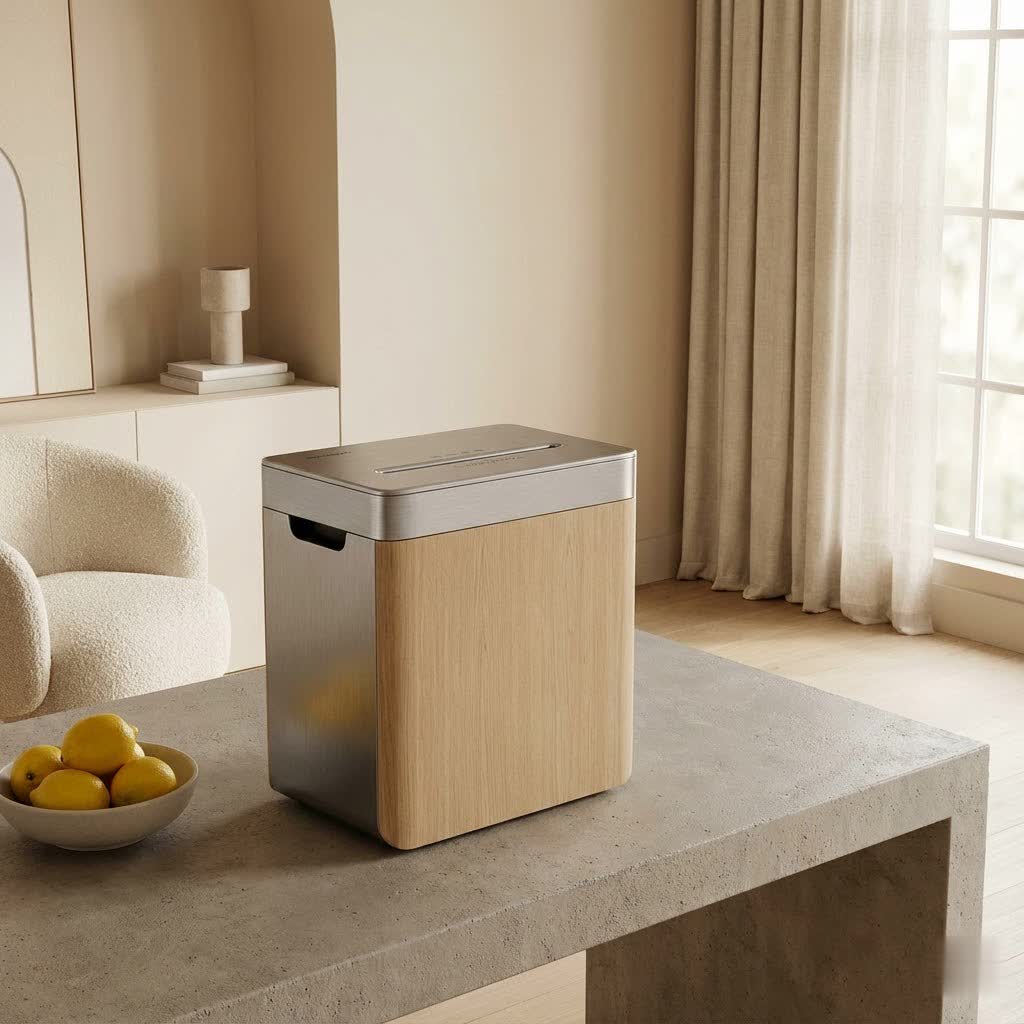
Choosing the right paper shredder for your home can feel a bit overwhelming with all the options out there. But don’t worry, as your resident paper shredder expert, I’m here to break down everything you need to know. From understanding the different types of cuts to essential maintenance tips and troubleshooting common hiccups, we’ll make sure you’re confident in selecting and using a paper shredder that fits your unique household needs perfectly.
Understanding Paper Shredder Types for Home Use
When you start looking at paper shredders, you’ll quickly notice they come in a few main “cut” styles. Each offers a different level of security, and knowing the difference is key to protecting your personal information effectively.
Strip-Cut Shredders
These are the most basic and often the most affordable paper shredders for home use. They cut paper into long, narrow strips, much like spaghetti.
- Security Level (DIN P-Rating): P-1 to P-2. This is considered a low security level.
- Pros: Generally faster, less expensive, and require less maintenance. They’re good for shredding non-sensitive documents where privacy isn’t a major concern.
- Cons: The long strips can theoretically be reassembled, making them unsuitable for highly confidential documents.
- When to Use for Home: Ideal for junk mail, old magazines, or non-confidential papers that you simply want to dispose of to reduce bulk.
|
Our Picks for the Best Paper Shredder in 2026
As an Amazon Associate I earn from qualifying purchases.
|
||
| Num | Product | Action |
|---|---|---|
| 1 | Fellowes 14C10 14-Sheet Cross-Cut Home Office Paper Shredder |

|
| 2 | Amazon Basics 8-Sheet Strip Cut Paper, CD, and Credit Card Shredder with Auto-Off Compact, Portable Design, No Basket, Extendable Arm, Black |
|
| 3 | Woolsche 12-Sheet Cross Cut Paper Shredder with Large 5.55-Gallon Basket - P-4 Security, 3-Mode Shred for Cards/CDs/Staples/Clips - Jam Proof System for Office (ETL Certified) |
|
| 4 | Amazon Basics Cross Cut Paper and Credit Card Shredder, 12 Sheet (New Model), Black |
|
| 5 | Amazon Basics 8-Sheet Cross Cut Paper Shredder and Credit Card Shredder - Black |
|
| 6 | Suntiko Small Paper Shredder for Home, 6 Sheet Strip Cut Paper Shredder Without Basket,Portable Shredder Extendable Arm Design with Overheat Protection for Home Office |
|
| 7 | Amazon Basics 200-Sheet Auto Feed Cross Cut Paper Shredder with Pullout Basket, Black |
|
| 8 | Amazon Basics 6 Sheet Cross Cut Paper and Credit Card Home Office Shredder with 3.8 Gallon Bin, Black |
|
| 9 | Amazon Basics Cross Cut Paper and Credit Card Shredder for Security - 8-Sheet, Heavy Duty, White |
|
| 10 | Amazon Basics Paper Shredder for Home and Office, 8-Sheet Strip Cut, CD/ Credit Card Shredder, 3.4 Gallon Wastebasket , Black |
|
Cross-Cut Shredders
Stepping up in security, cross-cut shredders slice paper both horizontally and vertically, turning your documents into small rectangular or diamond-shaped pieces. This is a popular choice for many households due to its balance of security and affordability.
- Security Level (DIN P-Rating): P-3 to P-4. This offers a good level of security for most personal documents.
- Pros: Provides significantly better security than strip-cut models, making reassembly much harder. They are great for typical sensitive documents like bills, bank statements, and old tax forms.
- Cons: Can be a bit slower than strip-cut shredders and may require more frequent bin emptying due to the smaller, more voluminous shreds.
- Ideal for Home Use: Perfect for everyday sensitive documents, offering solid identity theft protection.
Micro-Cut Shredders
For those who demand the highest level of data protection, micro-cut shredders are the way to go. These machines reduce your documents to tiny, confetti-like particles, making them virtually impossible to reconstruct.
- Security Level (DIN P-Rating): P-5 and higher. This is the gold standard for ultimate security.
- Pros: Offers superior security, essential for highly sensitive materials like medical records, financial statements with account numbers, or confidential business documents handled from a home office.
- Cons: These paper shredders for home use are typically slower, more expensive, and may require more frequent oiling and maintenance due to the intricate blades. The smaller particles also fill the bin faster.
- Best for Home Use: If you regularly handle highly confidential documents, a micro-cut shredder provides unparalleled peace of mind.
“When it comes to home shredding, I always advise clients to consider the ‘what if’ scenario,” says Clara Jenkins, a veteran cybersecurity consultant. “If you wouldn’t want a document found intact, opt for cross-cut or micro-cut. It’s an investment in your digital and physical safety.”
Key Factors When Choosing a Paper Shredder for Your Home
Selecting the right paper shredder for home use goes beyond just the cut type. Several other features play a crucial role in usability, efficiency, and safety.
Security Level (DIN P-Rating)
The DIN P-rating (P-1 to P-7) specifies the particle size after shredding, with higher numbers indicating smaller particles and greater security. For most home users, a P-3 or P-4 cross-cut shredder offers a good balance of security and cost-effectiveness. If you handle extremely sensitive information, like business documents with proprietary data or highly personal medical records, a P-5 micro-cut shredder would be a safer bet.
Shredding Capacity (Sheets per Pass)
This tells you how many sheets of paper your shredder can handle at once. Home shredders typically range from 5 to 13 sheets. Overloading the machine is a common cause of jams, so be realistic about your needs. If you shred small batches occasionally, a lower capacity is fine. If you tackle large stacks less frequently, a higher capacity can save you time and frustration.
Bin Size
The bin size dictates how often you’ll need to empty the shredded waste. Larger bins are convenient if you shred frequently or in large batches. Also, consider the bin style: pull-out bins are generally easier to empty than models where you have to lift the heavy shredder head off the top.
Run Time and Cool-Down Period
Home paper shredders are not usually designed for continuous use. They have a “run time” (how long they can shred before needing a break) and a “cool-down period” (how long they need to rest to prevent overheating). Typical run times for home models are 2-10 minutes, followed by a cool-down of 20-40 minutes. If you have significant shredding tasks, look for a model with a longer run time or be prepared to shred in stages.
Noise Level
Let’s be honest, nobody wants a shredder that sounds like a jet engine, especially in a home environment. Many modern paper shredders for home use offer “quiet operation” features. If you live in an apartment, work from a home office, or have sleeping children, a quieter model will make your shredding experience much more pleasant. Look for models advertised with low decibel ratings.
Ability to Shred Non-Paper Items
Do you need to destroy old credit cards, expired IDs, or even CDs/DVDs? Some shredders are equipped to handle these items, often with a separate feed slot, offering comprehensive data destruction. Confirm this feature if it’s important to you, as not all home shredders can do this. Many can handle staples and small paper clips, but always check the manufacturer’s specifications.
Safety Features
If you have children or pets in your home, safety is paramount. Look for paper shredders for home use with features like safety locks, touch-safe sensors (which stop the blades if fingers get too close), or automatic shut-off when the bin is removed or a jam is detected. These features offer an invaluable layer of protection.
Anti-Jam Technology
Paper jams are incredibly frustrating. Many modern home shredders come with anti-jam features, such as automatic reverse, which detects an overload and pushes the paper back out, or jam-proof sensors that prevent shredding if too much paper is inserted. These technologies can save you a lot of hassle.
Ease of Use
Consider features like auto-start (shredder starts automatically when paper is inserted), clear indicator lights for “bin full” or “overheat,” and simple controls. A user-friendly design makes shredding less of a chore.
Tips for Effective Home Shredding
Once you have your ideal paper shredder for home use, a few best practices will ensure it serves you well for years.
- Don’t Overfeed: Always adhere to the maximum sheet capacity. Trying to force too many sheets through at once is the primary cause of jams and can strain the motor.
- Respect Run Time and Cool-Down: Pay attention to your shredder’s continuous run time and allow it to cool down as needed. Pushing it past its limits leads to overheating and can shorten its lifespan.
- Remove Incompatible Items: Unless your shredder specifically states it can handle them, remove staples, paper clips, and especially plastic items or thick cardboard. These can damage the blades and cause jams.
- Empty the Bin Regularly: Don’t wait until the bin is overflowing. An overly full bin can cause paper to back up into the cutting mechanism, leading to jams and putting unnecessary strain on the motor.
Keeping Your Home Paper Shredder Running Smoothly: Maintenance Tips
Proper maintenance of your paper shredder for home use isn’t just about extending its life; it’s about ensuring it performs efficiently and reliably every time you need it.
Oiling the Blades
This is probably the most crucial maintenance step. Shredder blades, especially in cross-cut and micro-cut models, need lubrication to operate smoothly and prevent wear.
- How Often: A good rule of thumb is to oil your shredder every time you empty the waste bin, or at least once a month if you don’t shred frequently. Micro-cut shredders might need more frequent oiling due to their finer cut.
- Types of Oil: Use only designated shredder oil or lubricating sheets. Never use aerosol oils, WD-40, or vegetable oils, as these can gum up the mechanism or even pose a fire hazard.
- How to Apply: For liquid oil, apply a thin bead across the paper entry slot. Then, run a few sheets of paper through to distribute the oil, followed by running the shredder in reverse for about 20 seconds. If using oil sheets, simply feed one through like a piece of paper.
Regular Cleaning
Paper dust and small debris can accumulate on the blades and sensors, affecting performance.
- Dusting: Periodically unplug your shredder and use a soft, dry cloth or a small brush to gently remove paper dust from the entry slot and around the cutting heads.
- Sensor Cleaning: If your “bin full” sensor is acting up even when the bin is empty, tiny paper particles might be blocking it. Gently clean the sensor area, usually located inside the bin housing or near the top of the bin.
Emptying the Bin
As mentioned, an overstuffed bin puts stress on your shredder. Make it a habit to empty it when it’s about two-thirds full to maintain optimal performance and prevent jams.
Follow Manufacturer’s Manual
Every paper shredder for home use is slightly different. Your owner’s manual is your best friend for specific maintenance schedules, troubleshooting guides, and safety warnings for your particular model. Always keep it handy!
Common Paper Shredder Problems and How to Fix Them
Even with the best care, your home paper shredder might encounter an issue now and then. Here are some common problems and straightforward solutions.
Paper Jams
This is arguably the most common and frustrating problem.
- Causes: Overfeeding, shredding staples or paper clips (if not designed to), feeding paper at an angle, or neglecting to oil the blades.
- Fixes:
- Reverse Function: Most shredders have a reverse setting. Switch to reverse and gently pull the paper out as it backs up.
- Manual Removal (Unplug First!): If reverse doesn’t work, unplug the shredder. Carefully use tweezers or small pliers to remove visible paper pieces from the blades. Never use your bare hands near the blades.
- Oil It Up: After clearing a jam, oil the blades generously and run a few sheets of paper through. Regular oiling prevents future jams.
Overheating and Shutting Down
If your shredder suddenly stops mid-task, it’s likely overheated.
- Causes: Continuous use beyond its recommended run time. Home shredders are designed for intermittent use.
- Fixes:
- Cool Down: Turn off the shredder and let it rest for its specified cool-down period (usually 20-40 minutes). Ensure it’s in a well-ventilated area.
- Take Breaks: Plan your shredding sessions with breaks in mind, especially for larger batches. Shred in smaller quantities, wait for it to cool, then continue.
Dull Blades/Poor Performance
If your paper is coming out unevenly or the shredder sounds like it’s struggling, the blades might be dull or dirty.
- Causes: Lack of regular oiling, shredding too many non-paper items, or simply extensive use over time.
- Fixes:
- Oil Consistently: Regular oiling is the best preventative measure.
- Clean Blades: Unplug the machine and carefully clean any built-up paper dust or debris from the blades.
- Professional Help: For severely dull or damaged blades, professional servicing or blade replacement might be necessary.
Shredder Not Turning On
- Causes: Not plugged in securely, cutting head not seated correctly, or the waste bin being full (blocking the sensor).
- Fixes:
- Check Power: Ensure the shredder is firmly plugged into a working outlet.
- Re-seat Head/Bin: Make sure the shredder head is securely placed on the bin, or the bin is fully inserted, activating the safety switch.
- Empty Bin: If the “bin full” indicator is on, empty the bin and ensure the sensor area is clear.
Excessive Noise
While shredders aren’t silent, unusually loud grinding or rattling can signal a problem.
- Causes: Lack of lubrication, a foreign object lodged in the mechanism, or worn-out gears.
- Fixes:
- Oil Blades: Often, a good oiling can quiet a noisy shredder.
- Inspect for Debris: Unplug and carefully check the cutting mechanism for any stuck items.
- Professional Assessment: If the noise persists after oiling and cleaning, it might indicate internal mechanical issues requiring professional attention.
Frequently Asked Questions About Paper Shredders for Home Use
What security level do I need for home use?
For most household documents like bills, receipts, and general personal correspondence, a cross-cut shredder (DIN P-3 or P-4) is usually sufficient. If you handle highly confidential documents such as tax records, medical information, or sensitive financial statements, a micro-cut shredder (DIN P-5 or higher) offers superior security.
How often should I oil my shredder?
A good rule of thumb is to oil your paper shredder for home use every time you empty the waste bin, or at least once a month if you use it infrequently. Micro-cut shredders may benefit from more frequent oiling due to their finer cutting mechanism. Always use specific shredder oil or lubricant sheets.
Can I shred credit cards and CDs with any home shredder?
No, not all home shredders can handle credit cards or CDs. You must check the product specifications to ensure your chosen paper shredder has this capability, often indicated by a separate feed slot for these items. Attempting to shred non-paper items in a shredder not designed for them can cause significant damage.
What causes a paper shredder to jam, and how can I prevent it?
Paper jams are commonly caused by overfeeding (inserting too many sheets at once), shredding items the machine isn’t designed for (like thick cardboard or excessive staples), or blades that are dull and unlubricated. To prevent jams, always respect the sheet capacity, remove incompatible items, and regularly oil the blades.
How long can a home paper shredder run continuously?
Most paper shredders for home use have a limited continuous run time, typically between 2 to 10 minutes, before needing a cool-down period. This is to prevent the motor from overheating. Check your shredder’s manual for its specific run time and cool-down duration, and always allow it to rest when needed.
Is a micro-cut shredder overkill for home use?
A micro-cut shredder is not overkill if you prioritize maximum security for highly sensitive personal documents, especially if you handle documents containing social security numbers, medical records, or detailed financial information from a home office. While often more expensive and requiring more maintenance, the peace of mind it offers can be well worth the investment.
Conclusion
Investing in a quality paper shredder for home use is a smart move toward safeguarding your personal information and achieving genuine peace of mind. By understanding the different types of shredders, considering key features like security and noise, and committing to simple maintenance, you can ensure your documents are disposed of securely and your shredder remains a reliable tool. Don’t let your old papers become a liability; shred them, protect yourself, and enjoy the confidence that comes with knowing your privacy is intact. Make the informed choice today for a more secure tomorrow.
