In today’s digital age, it’s easy to overlook the physical documents cluttering our desks and drawers. Yet, safeguarding your personal and sensitive information isn’t just about digital firewalls; it’s about what happens to your paper trail too. From old bank statements to utility bills, credit card offers, and even medical records, these seemingly innocent papers are a goldmine for identity thieves if not disposed of properly. That’s where a reliable compact paper shredder comes into its own – a small but mighty guardian of your privacy, perfectly suited for any home or small office.
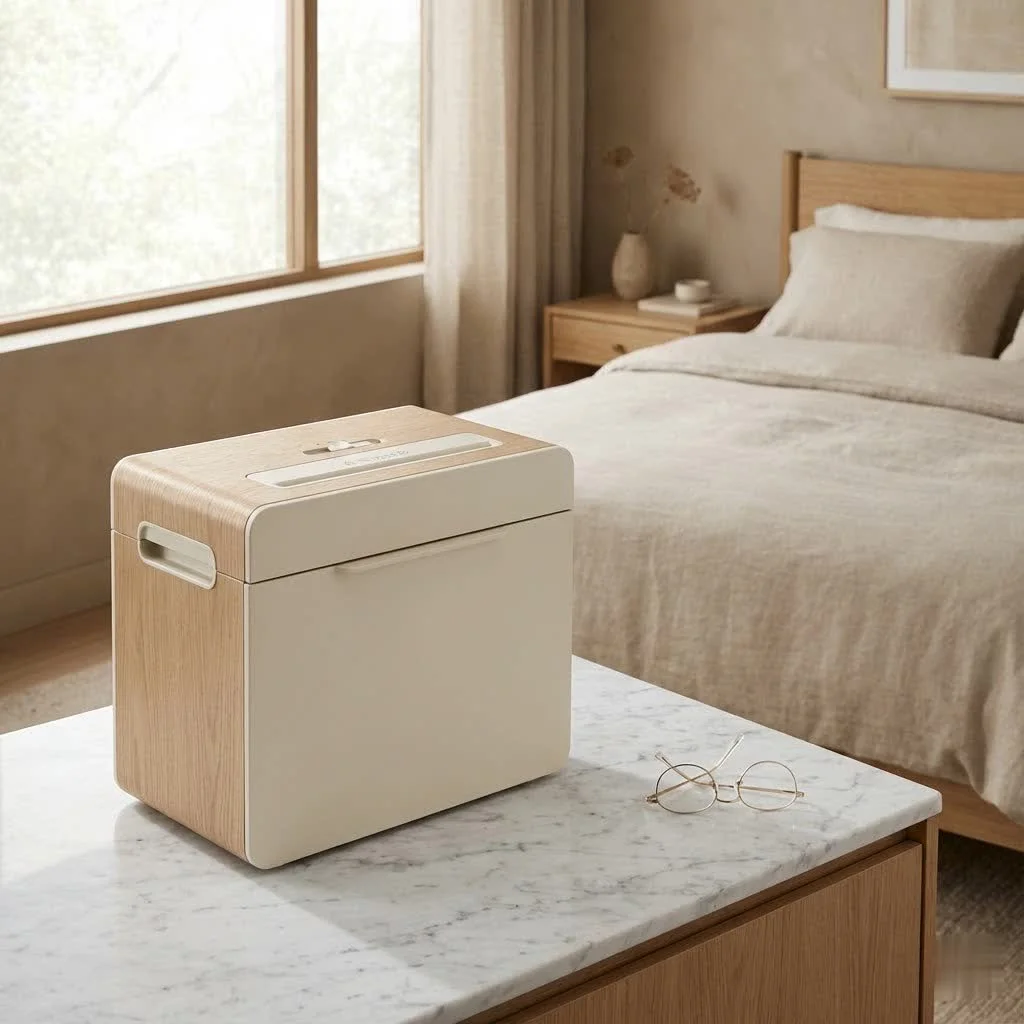
As someone who has navigated the ins and outs of document destruction for over 15 years, I can tell you that choosing the right paper shredder is more than just picking a model; it’s an investment in peace of mind. And for those with limited space, a compact paper shredder offers the ideal blend of efficiency, security, and convenience without compromising on performance. Here at Mrouk, we’re committed to helping you understand these vital tools, ensuring you make an informed decision and keep your sensitive data truly safe.
Why a Compact Paper Shredder is Your Home or Small Office Hero
Think of your compact paper shredder as the unsung hero of your workspace. It might not be the flashiest gadget, but its impact on your daily life, and more importantly, your security, is profound.
First and foremost, its space-saving design is a game-changer. Unlike bulky industrial shredders, compact models are designed to fit neatly under a desk, in a corner, or even on a countertop without disrupting your aesthetic or workflow. This makes them perfect for apartments, home offices, or small business environments where every square inch counts.
Beyond tidiness, the primary role of any paper shredder is protection against identity theft. By obliterating sensitive documents, you drastically reduce the risk of your personal information falling into the wrong hands. It’s a simple, effective barrier against fraud and a vital step in modern data security practices.
Finally, a compact shredder contributes to effortless decluttering. Imagine transforming stacks of old invoices, junk mail, and expired contracts into unreadable confetti, freeing up valuable space and helping you maintain an organized, stress-free environment. It’s not just about shredding; it’s about reclaiming your space and your peace of mind.
Unpacking the Different Cuts: Your Security Decoded
When it comes to paper shredders, “a cut above” takes on a literal meaning. The way your documents are shredded directly impacts the level of security they provide. Understanding these cut types is crucial for choosing a compact paper shredder that meets your specific needs.
- Strip-Cut Shredders: These are the most basic type, cutting paper into long, thin strips. While they’re generally the fastest and most affordable, offering higher sheet capacities, the strips can potentially be reassembled, making them suitable only for general documents that aren’t highly sensitive.
- Cross-Cut Shredders: A significant step up in security, cross-cut shredders slice paper both horizontally and vertically, creating smaller, confetti-like pieces. This makes reassembly far more difficult and offers a good balance of security and speed for most home and small office users. Many popular compact models feature cross-cut technology.
- Micro-Cut Shredders: For the ultimate in document security, micro-cut shredders are your best bet. They pulverize paper into tiny, dust-like particles that are virtually impossible to reconstruct. If you’re dealing with highly sensitive financial, medical, or legal documents, a micro-cut compact paper shredder provides the highest level of protection. The small particle size also means the waste bin fills up less quickly, even though these shredders typically have lower sheet capacities.
As a rule of thumb, security levels are often indicated by a “P-rating” from P-1 (low security, like strip-cut) to P-7 (highest security, ultra-fine micro-cut). For most home and small office scenarios, a P-4 security level (typically cross-cut or finer micro-cut) offers excellent protection while remaining cost-effective.
Picking Your Perfect Partner: Key Features to Look For
|
Our Picks for the Best Paper Shredder in 2026
As an Amazon Associate I earn from qualifying purchases.
|
||
| Num | Product | Action |
|---|---|---|
| 1 | Suntiko Small Paper Shredder for Home, 6 Sheet Strip Cut Paper Shredder Without Basket,Portable Shredder Extendable Arm Design with Overheat Protection for Home Office |

|
| 2 | Amazon Basics 6 Sheet Cross Cut Paper and Credit Card Home Office Shredder with 3.8 Gallon Bin, Black |
|
| 3 | Woolsche 12-Sheet Cross Cut Paper Shredder with Large 5.55-Gallon Basket - P-4 Security, 3-Mode Shred for Cards/CDs/Staples/Clips - Jam Proof System for Office (ETL Certified) |
|
| 4 | Fellowes 14C10 14-Sheet Cross-Cut Home Office Paper Shredder |
|
| 5 | Amazon Basics Cross Cut Paper and Credit Card Shredder for Security - 8-Sheet, Heavy Duty, White |
|
| 6 | Amazon Basics Cross Cut Paper and Credit Card Shredder, 12 Sheet (New Model), Black |
|
| 7 | Amazon Basics 8-Sheet Strip Cut Paper, CD, and Credit Card Shredder with Auto-Off Compact, Portable Design, No Basket, Extendable Arm, Black |
|
| 8 | Amazon Basics 8-Sheet Cross Cut Paper Shredder and Credit Card Shredder - Black |
|
| 9 | Amazon Basics Paper Shredder for Home and Office, 8-Sheet Strip Cut, CD/ Credit Card Shredder, 3.4 Gallon Wastebasket , Black |
|
| 10 | Amazon Basics 200-Sheet Auto Feed Cross Cut Paper Shredder with Pullout Basket, Black |
|
Choosing the ideal compact paper shredder involves weighing several factors beyond just its size. Here’s what you should consider to ensure your new shredder is the perfect fit for your needs:
Shredding Capacity (Sheets per Pass)
This refers to the maximum number of sheets your shredder can handle at once. If you only shred a few documents occasionally, a model with a 6-8 sheet capacity might suffice. However, for heavier workloads, like disposing of multiple reports or contracts, look for a compact paper shredder that can handle 10-15 sheets per pass to save time and effort. Overloading the shredder can lead to jams and premature wear.
Bin Size (Gallons)
A larger bin means less frequent emptying, which is a major convenience, especially if you have regular shredding tasks. Compact shredders typically range from 2 to 6 gallons. While a larger bin reduces trips to the trash, remember it also takes up more space. Many compact models feature pull-out bins, which are often preferred over those where you have to lift the entire shredder head to empty.
Run Time & Cool Down
Shredders, especially compact models, aren’t designed for continuous, industrial-level shredding. “Run time” specifies how long the shredder can operate continuously before needing a “cool down” period to prevent overheating. For occasional home use, a run time of 5-10 minutes with a longer cool-down period might be fine. For small office environments or larger shredding projects, look for models offering 20-30 minutes or more of continuous run time to reduce interruptions.
Security Level (P-rating)
As we discussed, this is paramount. Match the P-rating to the sensitivity of your documents. For general household papers, a P-3 or P-4 cross-cut shredder is usually adequate. For highly confidential information, always opt for a P-5 or higher micro-cut compact paper shredder to ensure maximum data protection.
Noise Level
Shredders aren’t known for being silent, but some are significantly quieter than others. If your shredder will be located in a shared living space or a quiet office, a model designed for “quiet operation” can make a big difference in comfort. Look for decibel ratings (dB) in the specifications, with lower numbers indicating quieter performance.
Additional Features
Modern compact paper shredders come with a host of convenient features:
- Jam Protection (Auto-Reverse): This is a lifesaver. If the shredder detects too much paper, it automatically reverses the blades to clear the jam, preventing frustration and damage.
- Auto-Feed: Some advanced compact models include an auto-feed tray, allowing you to load a stack of documents and walk away while the machine shreds them automatically.
- Media Shredding: Many compact shredders can handle more than just paper. Look for models that can safely destroy credit cards, staples, paper clips, and even CDs/DVDs for comprehensive data destruction.
- Safety Features: Sensors that pause operation if hands are too close to the blades or if the bin is open are essential for household use, especially if children or pets are around.
- Energy Efficiency: Features like “Energy Smart” or automatic power-off help conserve electricity.
Keeping Your Compact Crusher Running Smoothly: Essential Maintenance Tips
Just like any other valuable appliance, your compact paper shredder needs a little TLC to perform its best and last for years. Neglecting maintenance can lead to frustrating jams, reduced efficiency, and even premature failure. Here are my top tips:
Regular Oiling
This is arguably the most critical maintenance step. Paper dust and debris can accumulate on the cutting blades, increasing friction and dulling them over time. Oiling lubricates the blades, ensuring smooth operation and preventing jams.
- How often? For light home use, oil your shredder once a month or every few bin empties. For more frequent use, aim to oil it after every 30 minutes of continuous shredding or each time you empty the waste bin.
- What to use? ALWAYS use manufacturer-approved shredder oil or lubricant sheets. Never use household oils like WD-40, vegetable oil, or canola oil, as these can gum up the mechanism and cause irreparable damage.
- Method: You can apply a zigzag pattern of oil across a sheet of paper and feed it through, or for some models, apply oil directly to the cutting slot. Run the shredder in reverse for a few seconds after oiling to distribute it evenly.
Emptying the Bin
It sounds simple, but regularly emptying the waste bin is crucial. An overflowing bin can cause paper to back up into the cutting mechanism, leading to jams and strain on the motor. Many compact shredders have a viewing window or an indicator light to let you know when it’s getting full.
Cleaning the Blades
Over time, tiny paper particles will build up on and between the blades. Unplug the shredder, then use tweezers, a small brush, or a can of compressed air to carefully dislodge any stuck paper bits. A vacuum cleaner with a nozzle attachment can also be great for sucking out debris from hard-to-reach areas. Remember, safety first – always unplug the unit before performing any cleaning near the blades!
Avoiding Overload
Respect your shredder’s sheet capacity. Feeding too many sheets at once is the quickest way to cause a jam and stress the motor. If you have a thick stack of documents, divide them into smaller, manageable batches.
Strategic Placement
Ensure your compact paper shredder is in a well-ventilated area. Continuous operation can generate heat, and good airflow helps the motor cool down efficiently, extending its lifespan. Avoid placing it directly against a wall or in an enclosed cabinet.
Shredder Snags? Quick Fixes for Common Compact Paper Shredder Problems
Even with the best maintenance, sometimes your compact shredder might throw a curveball. Don’t panic! Most common issues have straightforward solutions.
Paper Jams
This is the most frequent complaint.
- Cause: Overfeeding, misaligned paper, or non-shreddable items (like thick cardboard or excessive staples) can cause jams.
- Fix:
- Stop & Reverse: Turn off the shredder and press the “reverse” button (or cycle between forward/reverse a few times) to try and clear the blockage.
- Unplug & Clear: If reverse doesn’t work, unplug the shredder immediately. Carefully remove the shredder head (if detachable) and visually inspect the cutting blades. Use tweezers or small pliers to pull out jammed paper. Never use your hands directly near the blades while plugged in.
- Oil Trick: For stubborn jams, try applying shredder oil liberally to the jammed paper and blades, let it sit for 15-30 minutes, then try reversing again.
Overheating
Your shredder suddenly stops working mid-session.
- Cause: Prolonged continuous use beyond its recommended run time.
- Fix: Most shredders have a thermal overload protector that automatically shuts off the motor to prevent damage. Simply turn off and unplug the shredder, then let it cool down for the manufacturer-recommended period (usually 20-60 minutes). After it’s cooled, plug it back in and resume shredding in smaller batches.
Dull Blades
Your shredder is struggling to cut, producing uneven shreds or more frequent jams.
- Cause: Lack of regular oiling or shredding too many tough items over time.
- Fix: Start with regular oiling as described above. If the problem persists despite consistent lubrication, the blades might be genuinely dull. For compact models, replacement blades are rarely an option; it might be time to consider a new shredder.
“Bin Full” Light Stays On (When it’s Not)
Your shredder refuses to operate, indicating the bin is full even when it’s empty.
- Cause: The bin-full sensor (often an optical sensor) is blocked by paper dust or debris, or the bin isn’t seated correctly.
- Fix:
- Reseat Bin: Remove and firmly reinsert the waste bin, ensuring it’s properly aligned.
- Clean Sensor: Locate the sensor (usually a small plastic window or slot inside the shredder head or bin area) and carefully clean it with a cotton swab or compressed air to remove any dust.
Shredder Only Works in Reverse
The shredder operates but only when set to reverse mode.
- Cause: Often, this indicates a minor blockage that the forward mechanism can’t overcome, or a sensor issue.
- Fix:
- Clear Blockage: Try cycling between forward and reverse a few times. If there’s a small piece of paper or debris caught, this might dislodge it.
- Clean Sensors: As with the “bin full” issue, clean any paper-feed sensors that might be detecting a non-existent blockage.
- Oil Blades: Lubricate the blades, as reduced friction can sometimes help the forward function engage.
Making the Smart Choice: A Checklist for Your Compact Shredder Purchase
To simplify your decision, here’s a quick checklist:
- Space: Does it fit comfortably where you intend to put it?
- Security: Do I need P-3 (strip-cut), P-4 (cross-cut), or P-5+ (micro-cut)?
- Volume: How many sheets do I typically shred at once, and how often?
- Run Time: Does its run time match my shredding habits, or will I constantly wait for it to cool down?
- Noise: Is quiet operation important for my environment?
- Features: Do I need jam protection, auto-feed, or the ability to shred credit cards/CDs?
- Maintenance: Am I prepared for regular oiling and cleaning?
Frequently Asked Questions (FAQ)
Q: How often should I oil my compact paper shredder?
A: For light home use (a few documents weekly), oil it at least once a month. If you shred more frequently or after every major shredding session (around 30 minutes of total use), oil it each time you empty the waste bin. Always use specific shredder oil or lubricant sheets, never common household oils.
Q: Can a compact shredder handle credit cards and CDs?
A: Many compact paper shredders are designed to handle credit cards and even CDs/DVDs. Check the product specifications carefully. Models with a dedicated slot for media are ideal, ensuring separate destruction and proper disposal.
Q: What’s the best security level for a home compact shredder?
A: For most sensitive personal documents like bank statements or bills, a P-4 security level (cross-cut or micro-cut) offers excellent protection against identity theft. If you handle highly confidential records, a P-5 or higher micro-cut shredder provides superior security.
Q: Why does my compact shredder keep overheating?
A: Overheating is usually due to exceeding the shredder’s continuous run time without allowing it to cool down. Compact shredders have shorter duty cycles than larger models. Ensure you adhere to the manufacturer’s recommended run time and cool-down periods, and shred large batches in smaller sessions.
Q: How do I clear a paper jam in a compact shredder?
A: First, try using the reverse function to dislodge the paper. If that doesn’t work, immediately unplug the shredder. Carefully remove the shredder head (if possible) and use tweezers or small pliers to manually pull out the jammed paper. For stubborn jams, apply shredder oil and let it soak before attempting to reverse again. Always ensure the shredder is unplugged before reaching near the blades.
Conclusion
A compact paper shredder is far more than just a convenience; it’s a vital tool in your personal and professional security arsenal. By understanding the different types of cuts, knowing which features to prioritize, and committing to simple, regular maintenance, you can ensure your documents are disposed of securely and efficiently. With a well-chosen and properly cared-for compact paper shredder, you’re not just shredding paper; you’re actively protecting your identity, decluttering your space, and gaining valuable peace of mind. Here at Mrouk, we believe everyone deserves the confidence that comes with secure document disposal, and a compact shredder is an excellent place to start.
Get our weekly buyer guide
Practical specs, not advice. Unsubscribe anytime.