In today’s digital age, it’s easy to overlook the physical security of our documents, yet paper remains a critical vulnerability for identity theft and sensitive data breaches. From bank statements to tax records, medical bills to confidential business reports, unprotected documents are a treasure trove for fraudsters. As a seasoned expert with over 15 years in the field and a content creator for Mrouk.com, I’ve seen firsthand the peace of mind a reliable paper shredder can bring. This guide will walk you through everything you need to know to select the top rated paper shredder for your needs, ensuring your information stays private and your peace of mind remains intact.
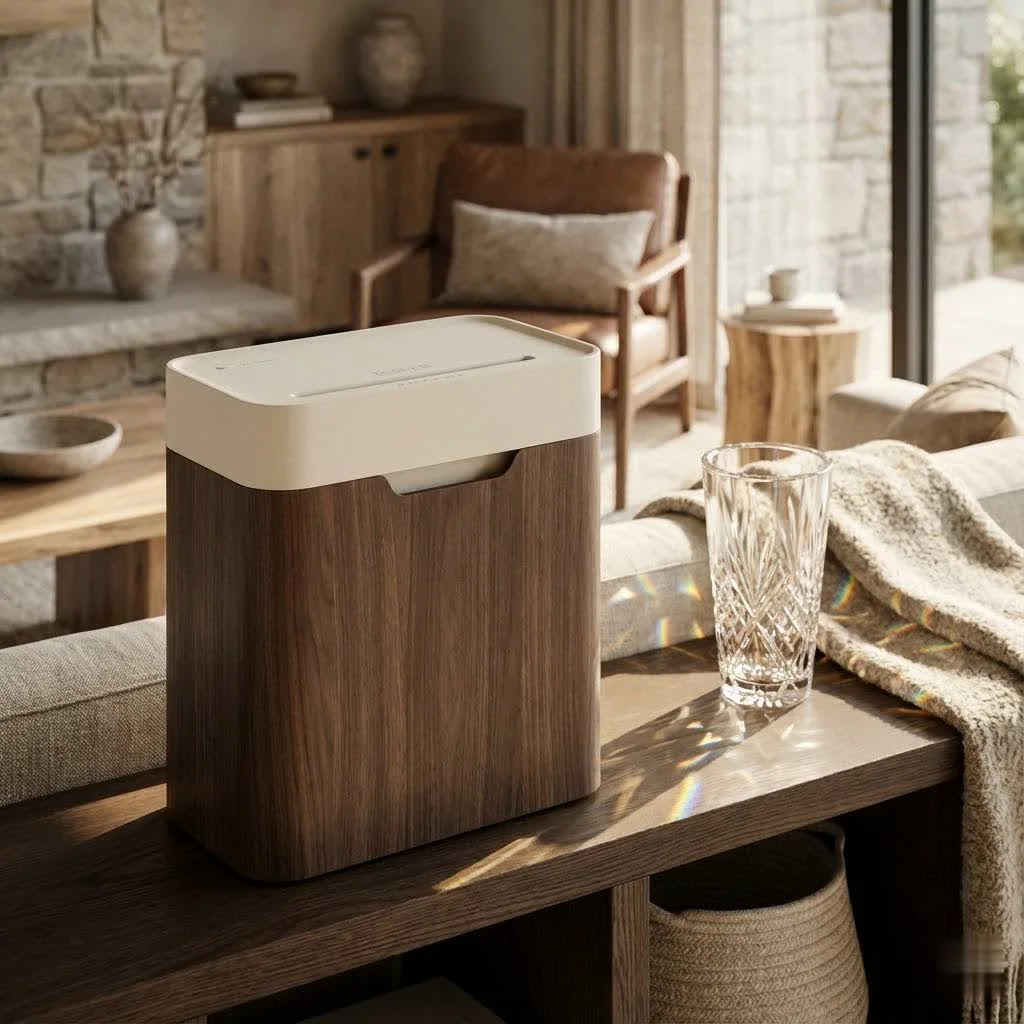
Understanding Paper Shredder Types and Security Levels
Choosing the right paper shredder begins with understanding the different types of cuts and their corresponding security levels. Each type offers a distinct level of protection, dictating how easily shredded documents could potentially be reconstructed. The security level, often indicated by a DIN P-rating (P-1 to P-7), directly correlates with the fineness of the shred.
Strip-Cut Shredders: Basic Security for General Waste
Strip-cut shredders are the most basic and typically the least expensive option. They cut paper into long, narrow strips, offering a fundamental level of security (P-1 or P-2). While suitable for non-sensitive documents like junk mail or old bills without critical information, these long strips can potentially be reassembled with enough effort. They are often fast and can handle more sheets at once, but they provide the lowest level of protection against information theft.
Cross-Cut Shredders: Enhanced Security for Home and Office
A significant step up in security, cross-cut shredders transform documents into smaller, diamond or confetti-like pieces. This dual-action cutting (both vertically and horizontally) makes reassembly far more challenging. Most cross-cut shredders fall within the P-3 or P-4 security ratings, making them an excellent choice for general home and small office use where confidential documents like bank statements and invoices are frequently handled. Many top rated paper shredder models for everyday use feature this cut type.
Micro-Cut Shredders: The Ultimate in Data Protection
For the highest level of security, particularly for highly sensitive or confidential information, micro-cut shredders are the gold standard. These machines cut paper into minuscule, dust-like particles, achieving P-5, P-6, or even P-7 security ratings. Reassembling documents shredded by a micro-cut machine is virtually impossible, offering unparalleled peace of mind for legal documents, medical records, or proprietary business information. While typically slower and with lower sheet capacities, the superior security they provide is invaluable.
“When it comes to protecting sensitive data, the shredder’s cut type isn’t just a feature – it’s your first line of defense. Always match your security needs with the appropriate shred type,” advises Robert Sterling, a leading expert in document security.
Key Features to Look for in a Top-Rated Paper Shredder
|
Our Picks for the Best Paper Shredder in 2026
As an Amazon Associate I earn from qualifying purchases.
|
||
| Num | Product | Action |
|---|---|---|
| 1 | Fellowes 14C10 14-Sheet Cross-Cut Home Office Paper Shredder |

|
| 2 | Amazon Basics 6 Sheet Cross Cut Paper and Credit Card Home Office Shredder with 3.8 Gallon Bin, Black |
|
| 3 | Amazon Basics Paper Shredder for Home and Office, 8-Sheet Strip Cut, CD/ Credit Card Shredder, 3.4 Gallon Wastebasket , Black |
|
| 4 | Amazon Basics 200-Sheet Auto Feed Cross Cut Paper Shredder with Pullout Basket, Black |
|
| 5 | Amazon Basics Cross Cut Paper and Credit Card Shredder for Security - 8-Sheet, Heavy Duty, White |
|
| 6 | Amazon Basics 8-Sheet Strip Cut Paper, CD, and Credit Card Shredder with Auto-Off Compact, Portable Design, No Basket, Extendable Arm, Black |
|
| 7 | Amazon Basics Cross Cut Paper and Credit Card Shredder, 12 Sheet (New Model), Black |
|
| 8 | Suntiko Small Paper Shredder for Home, 6 Sheet Strip Cut Paper Shredder Without Basket,Portable Shredder Extendable Arm Design with Overheat Protection for Home Office |
|
| 9 | Woolsche 12-Sheet Cross Cut Paper Shredder with Large 5.55-Gallon Basket - P-4 Security, 3-Mode Shred for Cards/CDs/Staples/Clips - Jam Proof System for Office (ETL Certified) |
|
| 10 | Amazon Basics 8-Sheet Cross Cut Paper Shredder and Credit Card Shredder - Black |
|
Beyond the cut type, several other features are crucial when selecting the top rated paper shredder that aligns with your specific requirements.
Sheet Capacity and Bin Size
- Sheet Capacity: This refers to the number of sheets a shredder can process in a single pass. For personal use, a 6-10 sheet capacity might suffice, while small offices often need 12-20 sheets. Heavy-duty or commercial models can handle 30 sheets or more.
- Bin Size: Measured in gallons, the bin capacity determines how frequently you’ll need to empty the shredded waste. Larger bins are ideal for higher volume shredding, reducing interruptions. Look for pull-out bins for easier disposal compared to lift-off heads.
Run Time and Cool-Down Period
Shredders are designed for intermittent use. The “run time” indicates how long a machine can continuously shred before needing a “cool-down period” to prevent overheating.
- Personal Use: 3-5 minute run times with 20-30 minute cool-downs are common.
- Home Office/Small Business: 10-20 minute run times are more practical.
- Heavy Duty: 30+ minute run times, or even continuous operation, are available for industrial-grade models.
Consider your typical shredding sessions; if you tackle large batches, a longer run time is essential.
Shredding Speed
Measured in feet per minute (FPM) or pages per minute (PPM), shredding speed can impact efficiency. While not always the top priority for home users, a faster shredder can be a significant time-saver for businesses with larger volumes of documents.
Material Compatibility
Many modern paper shredders can destroy more than just paper. Top rated paper shredder models often handle:
- Staples and Paper Clips: Most cross-cut and micro-cut shredders can manage these.
- Credit Cards: A dedicated slot or the main paper entry can often accommodate plastic cards.
- CDs and DVDs: Some models include a separate slot for optical media, ensuring digital data destruction.
If you regularly dispose of these items, ensure your chosen shredder specifies compatibility.
Anti-Jam Technology
Paper jams are a universal frustration. Leading shredder brands incorporate technologies to mitigate this common issue:
- Auto-Reverse: The shredder automatically detects an overload and reverses the blades to clear the jam.
- Jam-Proof Systems: Sensors monitor paper thickness and prevent shredding if too much paper is inserted.
- Overload Indicators: Lights or sounds alert you when you’re approaching the sheet capacity.
A truly top rated paper shredder should minimize or eliminate jamming.
Safety Features
Especially important for homes with children or pets, safety features are a non-negotiable aspect of a good paper shredder.
- SafeSense Technology: Stops the shredder immediately if hands touch the paper entry.
- Safety Lock: Disables the shredder when not in use.
- Thermal Overload Protection: Automatically shuts down the machine if it overheats.
Noise Level
Shredders can be noisy. If you work in a quiet office environment or plan to use your shredder at home without disturbing others, look for models advertised as “quiet” or with low decibel ratings. This feature greatly enhances the user experience.
Auto-Feed vs. Manual Feed
- Manual Feed: The traditional method where you manually insert paper a few sheets at a time.
- Auto-Feed: Allows you to load a stack of paper (e.g., 100-300 sheets) into a tray, and the shredder automatically feeds and shreds them. This is a huge convenience for large shredding tasks, letting you “set it and forget it.” Many top rated paper shredder options for office use now include auto-feed capabilities.
Top-Rated Paper Shredders for Every Need
Based on our extensive experience at Mrouk.com and industry analysis, here are categories for top rated paper shredder models, offering a glimpse into what you can expect:
- Best Overall / All-Purpose: Models like the Aurora AU120MA 120-Sheet or Fellowes Powershred 99Ci often receive high marks for their balance of security, capacity, speed, and jam-proof performance. They are robust enough for frequent home office use and light commercial tasks, making them a versatile choice.
- Best for Home Office: Look for shredders that are compact, quiet, and offer decent security (P-3/P-4 cross-cut or even micro-cut). The Fellowes LX25 Cross-Cut Shredder or Leitz IQ Home Office Shredders are frequently praised for their smaller footprint, lower noise levels, and sufficient capacity for personal document disposal.
- Best Heavy-Duty / Small Business: For environments with higher shredding demands, models such as the Fellowes Powershred 79Ci or Rexel Momentum X308 provide greater sheet capacities, longer run times, and enhanced durability. These machines are built to withstand more continuous use and often feature higher security ratings.
- Best High-Security (Micro-Cut): When ultimate protection is paramount, the Bonsaii C237-B Micro-Cut Shredder or the Fellowes 62MC Micro-Cut Shredder are excellent choices. They excel at turning documents into unrecoverable particles, ideal for sensitive personal or corporate data.
- Best Budget-Friendly: If you need a reliable shredder without breaking the bank, the Amazon Basics 8-Sheet Micro-Cut Shredder or similar entry-level Fellowes LX25 models offer good value. They might have shorter run times or smaller bins but provide essential security at an accessible price point.
Maximizing Your Shredder’s Lifespan: Usage and Maintenance Tips
Even the top rated paper shredder needs proper care to perform optimally and last for years. As an expert, I can tell you that neglecting maintenance is the quickest way to shorten your shredder’s life.
Do Not Overload Your Shredder
Always adhere to the manufacturer’s specified sheet capacity. Attempting to shred too many sheets at once is the primary cause of jams and can strain the motor, leading to overheating and premature wear. If your shredder feels like it’s struggling, reduce the load.
Regular Oiling is Key
Shredder blades, like any moving parts, need lubrication. Regular oiling (typically every 30 minutes of continuous shredding or after emptying the waste bin a few times) reduces friction, keeps the blades sharp, and prevents paper dust buildup. Use specific shredder oil or recommended lubricant – never use aerosol lubricants or flammable oils.
Empty the Waste Bin Regularly
An overflowing waste bin can cause paper to back up into the cutting mechanism, leading to jams and potential damage. Regularly checking and emptying the bin prevents this issue and maintains smooth operation.
Respect Cool-Down Periods
Overheating is a common issue, especially with lower-end models. If your shredder indicates it’s hot or automatically shuts off, allow it to cool down completely before resuming use. Pushing it further can permanently damage the motor.
Clean Shredder Heads
Over time, paper dust and debris can accumulate on the cutting blades, reducing efficiency and increasing the risk of jams. Periodically disconnect the shredder and carefully clean the cutting heads with a soft brush or a specialized shredder cleaning sheet.
Troubleshooting Common Issues
- Paper Jams: Most modern shredders have auto-reverse. If not, try reversing manually (if the option exists) or carefully clear the paper with tweezers (with the shredder unplugged!).
- Overheating: Give it a break! Ensure adequate ventilation around the machine.
- Dull Blades: Regular oiling helps. If shredding performance significantly degrades even after oiling, it might be time for a professional service or a new shredder, especially if it’s an older model.
Frequently Asked Questions (FAQ)
What is the best type of shredder for home use?
For most home users, a cross-cut shredder with a P-3 or P-4 security rating is ideal. It offers a good balance of security for common documents like bills and statements, without the higher cost or slower speed of micro-cut models. Ensure it has adequate sheet capacity (6-10 sheets) and a decent run time (5-10 minutes) for your typical shredding needs.
How often should I oil my paper shredder?
A good rule of thumb is to oil your paper shredder every time you empty the waste bin, or after about 30 minutes of accumulated shredding. This lubrication is vital for maintaining blade sharpness and smooth operation, preventing jams and extending the life of your top rated paper shredder.
Can I shred credit cards and CDs?
Many top rated paper shredder models are designed to shred credit cards and even CDs/DVDs. Check the product specifications, as some have dedicated slots for these materials, while others can handle them through the main paper entry. Always verify compatibility to avoid damaging your machine.
What does the “P-rating” mean for shredders?
The “P-rating” (DIN 66399 P-levels) is an international standard that classifies the security level of a paper shredder based on the size of the shredded particles. P-1 is the lowest security (strip-cut, large pieces), while P-7 is the highest (micro-cut, extremely tiny particles, suitable for top-secret documents). Higher P-numbers mean smaller shred sizes and greater security.
How do I fix a jammed paper shredder?
First, unplug the shredder immediately. If your shredder has an auto-reverse function, try activating it. If not, try manually reversing the blades (if there’s a switch). Carefully remove any visible paper using tweezers (never your fingers). For severe jams, consulting the manual or a professional is advisable. Regular oiling and avoiding overloading are the best jam prevention methods.
Is an auto-feed shredder worth it?
Yes, an auto-feed shredder is definitely worth it if you frequently have large stacks of documents to shred. It saves a significant amount of time and effort by allowing you to load a batch of paper and walk away, rather than manually feeding sheets a few at a time. This feature can turn a tedious chore into a hands-off task, making it a highly desirable feature for a top rated paper shredder in busy environments.
The Shredder’s Role in Modern Data Protection
In a world where data breaches and identity theft are constant threats, a paper shredder is more than just an office accessory – it’s a critical tool for personal and professional security. By understanding the different types, features, and maintenance requirements, you can confidently choose the top rated paper shredder that not only meets your security needs but also offers efficiency and longevity. Investing in the right shredder is an investment in your peace of mind and the safeguarding of your most sensitive information. Make the smart choice today and shred away your worries!
Get our weekly buyer guide
Practical specs, not advice. Unsubscribe anytime.