A strip-cut paper shredder is a fundamental workhorse for efficient document disposal, transforming full sheets into long, narrow ribbons typically 3/32″ to 1/2″ wide. These machines offer P-1 or P-2 security levels (DIN 66399), making them ideal for quickly destroying general, non-confidential documents like junk mail or expired bills. They are known for their speed, cost-effectiveness, and simpler maintenance compared to cross-cut or micro-cut shredders.
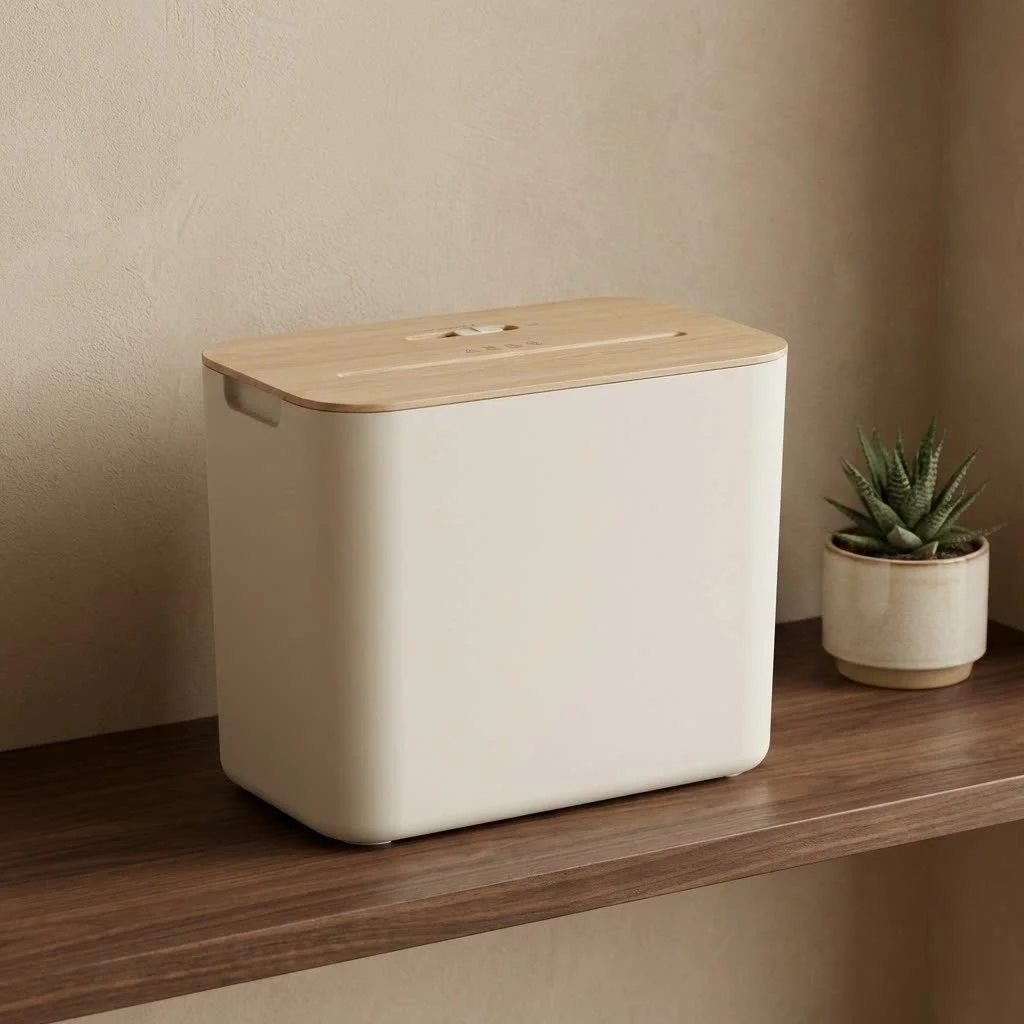
A strip-cut shredder is an essential component in managing physical document security and decluttering your space. This article guides you through its mechanics, benefits, considerations, and how to maintain it for smooth operation. For browse all paper shredders articles on this site.
What Exactly is a Strip-Cut Paper Shredder?
Imagine slicing a piece of paper into long, narrow ribbons – that’s essentially what a strip-cut paper shredder does. Often referred to as “ribbon-cut” or “straight-cut” shredders, these machines employ a single set of rotating blades that cut documents vertically, transforming a full sheet into multiple parallel strips. These strips typically range in width from about 3/32″ to 1/2″ (approximately 2.4 mm to 12.7 mm), resembling a pile of spaghetti or ribbons.
This straightforward cutting mechanism results in security levels classified as P-1 or P-2 according to DIN 66399 standards. This means they’re perfect for destroying general, non-confidential documents where the primary goal is disposal rather than absolute information obliteration. Think junk mail, expired bills with non-sensitive details, or general correspondence. As our Mrouk expert, Anya Sharma, often advises: “While a strip-cut shredder offers fundamental security against casual snooping, it’s about speed and volume for everyday waste, not fort Knox-level protection.”
Strip-Cut vs. Other Shredders: A Quick Comparison
When choosing a paper shredder, you’ll encounter three main types: strip-cut, cross-cut, and micro-cut. Each offers a different balance of security, speed, and cost. Understanding these distinctions is crucial for making an informed decision.
- Cross-Cut Shredders: These machines cut paper in two directions, both vertically and horizontally, producing smaller, confetti-like pieces. They offer a higher security level (typically P-3 or P-4) than strip-cut shredders, making document reassembly significantly more difficult. This added security comes with a slightly higher cost and often a slower shredding speed compared to strip-cut models.
- Micro-Cut Shredders: Taking security to the next level, micro-cut shredders slice paper into minuscule, dust-like particles. With security levels ranging from P-5 to P-7, they are ideal for highly sensitive and confidential documents where absolute data protection is paramount. These are the slowest and most expensive of the three types but provide the highest peace of mind.
Here’s a quick overview to help you visualize the differences:
| Feature | Strip-Cut Shredder | Cross-Cut Shredder | Micro-Cut Shredder |
|---|---|---|---|
| Security Level | Low (P-1, P-2) | Medium (P-3, P-4) | High (P-5, P-7) |
| Shred Size | Long, narrow strips (e.g., 1/4″ wide) | Small confetti-like particles (e.g., 5/16″ x 3″) | Tiny dust-like particles (e.g., 1/32″ x 3/16″) |
| Speed | Fastest | Moderate | Slowest |
| Capacity | Often higher sheet capacity | Moderate sheet capacity | Lower sheet capacity |
| Cost | Most affordable | Mid-range | Most expensive |
| Best For | Non-confidential documents, high volume disposal | Sensitive documents, personal/small office use | Highly confidential documents, maximum security |
While other types offer superior security, the strip-cut paper shredder remains incredibly popular due to its specific advantages, which we’ll explore next.
The Advantages of Choosing a Strip-Cut Paper Shredder
Even with higher-security options available, the strip-cut paper shredder holds its ground for several compelling reasons, especially when you consider its strengths in specific scenarios.
Speed and Efficiency for High Volumes
|
Our Picks for the Best Paper Shredder in 2026
As an Amazon Associate I earn from qualifying purchases.
|
||
| Num | Product | Action |
|---|---|---|
| 1 | Amazon Basics Cross Cut Paper and Credit Card Shredder, 12 Sheet (New Model), Black |

|
| 2 | Amazon Basics 8-Sheet Cross Cut Paper Shredder and Credit Card Shredder - Black |
|
| 3 | Suntiko Small Paper Shredder for Home, 6 Sheet Strip Cut Paper Shredder Without Basket,Portable Shredder Extendable Arm Design with Overheat Protection for Home Office |
|
| 4 | Amazon Basics 200-Sheet Auto Feed Cross Cut Paper Shredder with Pullout Basket, Black |
|
| 5 | Amazon Basics 8-Sheet Strip Cut Paper, CD, and Credit Card Shredder with Auto-Off Compact, Portable Design, No Basket, Extendable Arm, Black |
|
| 6 | Amazon Basics Paper Shredder for Home and Office, 8-Sheet Strip Cut, CD/ Credit Card Shredder, 3.4 Gallon Wastebasket , Black |
|
| 7 | Amazon Basics Cross Cut Paper and Credit Card Shredder for Security - 8-Sheet, Heavy Duty, White |
|
| 8 | Amazon Basics 6 Sheet Cross Cut Paper and Credit Card Home Office Shredder with 3.8 Gallon Bin, Black |
|
| 9 | Fellowes 14C10 14-Sheet Cross-Cut Home Office Paper Shredder |
|
| 10 | Woolsche 12-Sheet Cross Cut Paper Shredder with Large 5.55-Gallon Basket - P-4 Security, 3-Mode Shred for Cards/CDs/Staples/Clips - Jam Proof System for Office (ETL Certified) |
|
One of the most significant benefits of a strip-cut shredder is its speed. Because the machine only needs to cut in one direction, it processes documents much faster than its cross-cut or micro-cut counterparts. This makes it an ideal choice for quickly disposing of large volumes of paper where security isn’t the absolute top priority, such as old utility bills, expired advertisements, or internal drafts without sensitive information. If you’re tackling a major clear-out and time is of the essence, a strip-cut model can be a true time-saver.
Cost-Effectiveness
Generally speaking, strip-cut paper shredders are the most budget-friendly option on the market. Their simpler cutting mechanism translates to lower manufacturing costs, which passes on savings to you. For individuals or small home offices with occasional shredding needs and a tighter budget, a reliable strip-cut shredder provides a practical and economical solution without breaking the bank.
Simplicity and Lower Maintenance
Fewer moving parts in a strip-cut shredder’s mechanism mean less complexity and generally less frequent maintenance. While all shredders benefit from regular care, strip-cut models are often more forgiving and require less intensive lubrication compared to the intricate blade systems of cross-cut or micro-cut machines. This makes them a straightforward choice for users who prefer a no-fuss approach to document destruction.
The Disadvantages: What to Consider
While strip-cut paper shredders offer undeniable benefits, it’s equally important to be aware of their limitations, particularly concerning information security.
Lower Security
This is the most critical drawback of the strip-cut paper shredder. Because documents are only cut into long strips, there’s a theoretical, albeit sometimes labor-intensive, possibility of reassembling the shredded pieces. This risk is particularly elevated if documents are shredded horizontally (landscape orientation), as complete words or even sentences might remain intact on a single strip. For highly confidential documents like financial statements, medical records, or sensitive business proposals, a strip-cut shredder simply doesn’t provide adequate protection against determined individuals seeking to reconstruct information.
Bulkier Waste Volume
While a strip-cut shredder might have a larger bin capacity on paper, the nature of its output – long strips – means the shredded material doesn’t compact as densely as the smaller particles from cross-cut or micro-cut shredders. This can lead to your waste bin filling up more quickly, requiring more frequent emptying. It’s like comparing a pile of loose spaghetti to a compressed block of sawdust; one takes up far more space.
Limited Versatility for Highly Sensitive Items
If your shredding needs extend beyond paper to include credit cards, CDs, or other materials, you’ll need to verify if a strip-cut model is designed to handle them. While many modern strip-cut shredders can manage staples and paper clips, and some even tackle credit cards or CDs, their core design prioritizes speed over the fine pulverization needed for truly secure destruction of non-paper items.
How to Choose the Right Strip-Cut Shredder for Your Needs
Selecting the ideal strip-cut paper shredder isn’t just about grabbing the first one you see. It’s about aligning its capabilities with your specific requirements.
Assessing Your Security Requirements
First and foremost, honestly evaluate the type of documents you’ll be shredding. If you’re only dealing with everyday clutter like old receipts, expired coupons, or non-sensitive mail, a strip-cut shredder might be perfectly adequate. However, if any document contains personal identifiers, financial data, or client information, you absolutely need to consider a higher security level, such as a cross-cut or micro-cut shredder. Using a strip-cut for truly sensitive information is a risk you shouldn’t take.
Considering Shredding Volume and Speed
How much paper do you shred on a regular basis? For occasional use in a home setting, a smaller, less powerful strip-cut model will suffice. For a bustling home office or a department that processes many non-confidential documents daily, look for a strip-cut shredder with a higher sheet capacity (how many sheets it can shred at once) and a robust motor designed for longer run times without overheating. A higher sheet capacity means less time spent feeding paper, boosting your efficiency.
Essential Features to Look For
- Sheet Capacity: This indicates how many sheets of paper the shredder can handle in a single pass. A higher number means greater efficiency.
- Bin Size: A larger waste bin means less frequent emptying, which is a major convenience, especially with the bulkier output of strip-cut models.
- Duty Cycle/Run Time: This specifies how long the shredder can operate continuously before needing a cool-down period. For heavy users, a longer duty cycle is crucial.
- Safety Features: Look for features like overheat protection, auto-reverse to clear jams, and safety locks for peace of mind.
- Noise Level: Some shredders can be quite noisy. If you’re working in a quiet environment, a model with a lower decibel rating might be worth the investment.
Keeping Your Strip-Cut Shredder Running Smoothly: Essential Maintenance Tips
Just like any other mechanical device, your strip-cut paper shredder needs a little TLC to perform at its best and last longer. Neglecting maintenance can lead to frustrating jams, sluggish performance, and premature wear.
Regular Oiling
Lubrication is key to keeping your shredder’s blades sharp and its motor running smoothly. Friction is the enemy, and a properly oiled shredder will operate more quietly and efficiently.
- How often? A good rule of thumb is to oil your shredder every time you empty the waste bin or after approximately 30 minutes of cumulative shredding. Strip-cut shredders may require less frequent oiling than their cross-cut or micro-cut counterparts, but consistency is still important.
- Method: You can apply shredder oil directly in a zigzag pattern across a sheet of paper and feed it through the shredder. Alternatively, many prefer dedicated lubricant sheets, which offer a mess-free solution. Always run the shredder in reverse for a few seconds after oiling to help distribute the lubricant evenly.
- Crucial Warning: NEVER use alternatives like canola oil, WD-40, or other lubricants not specifically designed for shredders. These can gum up the blades, attract dust, and ultimately ruin your machine.
Emptying the Bin Regularly
It might seem obvious, but an overflowing waste bin is a common cause of jams and unnecessary strain on your shredder’s motor. Aim to empty the bin before it’s completely full, ideally when it’s about two-thirds full. This prevents shredded paper from backing up into the cutting mechanism.
Cleaning the Blades and Sensors
Over time, paper dust and tiny particles can accumulate on the blades and within the shredder’s sensors, impairing performance.
- Blades: After emptying the bin, use a can of compressed air to blast away accumulated dust and small paper fragments from the cutting assembly. Always unplug the shredder before doing this!
- Sensors: Many shredders have optical sensors that detect when paper is inserted. If these get dusty, the shredder might fail to start. A quick burst of compressed air can often clear them.
Avoiding Overfeeding
Every strip-cut paper shredder has a specified sheet capacity. Always adhere to this limit. Trying to force too many sheets through at once is a surefire way to cause a paper jam and stress the motor. If you have a large stack, feed it in smaller batches. It takes a little more time upfront but saves you a lot of frustration and potential damage.
Troubleshooting Common Strip-Cut Shredder Problems
Even with the best maintenance, sometimes your strip-cut paper shredder might encounter a hiccup. Here are some common problems and how to tackle them like a pro.
Paper Jams
What causes it? Most often, overfeeding (inserting too many sheets), feeding paper at an angle, or not removing staples/paper clips (if your model isn’t designed for them).
How to fix it:
- Turn it off and unplug. Safety first!
- Press the reverse button. For most jams, this will back the paper out. You might need to alternate between forward and reverse a few times.
- Gently remove visible paper. Use tweezers or pliers (never your fingers!) to pull out any stubborn pieces.
- Oil the blades. Once clear, oil the blades as described above to ensure smooth future operation.
Overheating
What causes it? Continuous, prolonged use beyond the shredder’s “duty cycle.” Smaller, personal shredders are particularly prone to this.
How to fix it:
- Stop shredding immediately.
- Unplug the machine.
- Allow it to cool down. Most shredders have a thermal overload protection and will automatically shut off. Give it at least 20-30 minutes, or as recommended in your manual, before trying again.
- Plan your shredding. For large jobs, shred in batches, allowing the machine to rest between sessions.
Dull Blades
What causes it? Lack of regular oiling and heavy use over time. Dull blades lead to reduced efficiency and increased jams.
How to fix it:
- Regular oiling is the best prevention. Follow the maintenance tips above diligently.
- If blades are already dull, consistent oiling can help, but severe dullness might eventually require professional servicing or replacement if the machine is old.
Shredder Won’t Start
What causes it? This can be due to a few simple issues: the machine isn’t plugged in properly, the cutting head isn’t seated correctly, the waste bin is full or misaligned, or the safety sensors are obstructed.
How to fix it:
- Check the power connection. Ensure it’s fully plugged into a working outlet.
- Verify the cutting head and bin. Make sure the shredder’s head is securely on its base and the waste bin is correctly inserted and closed.
- Clean the sensors. Use compressed air around the paper entry slot to clear any dust from the auto-start sensors.
- Allow for cooling. If it just stopped during a shredding session, it might be overheated.
Conclusion
The strip-cut paper shredder is a venerable and highly efficient tool for managing your everyday paper waste. While it may not offer the top-tier security of its cross-cut or micro-cut brethren, its speed, affordability, and ease of maintenance make it an invaluable asset for non-confidential document disposal in homes and offices worldwide.
Understanding its strengths and limitations allows you to wield this tool effectively, ensuring you get the most out of your investment. By following proper usage and consistent maintenance routines – like regular oiling and avoiding overfeeding – you’ll extend the lifespan of your strip-cut shredder and keep it performing optimally. Make the smart choice for your document disposal needs, and empower yourself with secure, efficient shredding practices.
Frequently Asked Questions
What is the primary function of a strip-cut paper shredder?
The primary function of a strip-cut paper shredder is to quickly dispose of general, non-confidential documents by cutting them into long, narrow strips. These shredders are ideal for high-volume shredding where speed and cost-effectiveness are more important than maximum security, such as for junk mail or expired bills.
What security level do strip-cut shredders offer?
Strip-cut shredders typically offer security levels classified as P-1 or P-2 according to DIN 66399 standards. This level of security is suitable for documents that do not contain highly sensitive personal or financial information, as the strips could theoretically be reassembled.
How often should I oil my strip-cut paper shredder?
You should oil your strip-cut paper shredder every time you empty the waste bin or after approximately 30 minutes of cumulative shredding. Regular lubrication helps keep the blades sharp, reduces friction, and ensures the motor runs smoothly and quietly, extending the machine's lifespan.
What are the main disadvantages of using a strip-cut shredder?
The main disadvantages of a strip-cut shredder are its lower security level, making document reassembly theoretically possible, and the bulkier waste volume it produces. The long strips do not compact as densely as cross-cut or micro-cut particles, requiring more frequent bin emptying.
Can strip-cut shredders handle credit cards or CDs?
While many modern strip-cut shredders can manage staples and paper clips, their ability to handle credit cards or CDs varies by model. Their core design prioritizes speed over the fine pulverization needed for truly secure destruction of non-paper items, so it's essential to check the specific model's specifications.
What features should I look for when buying a strip-cut shredder?
When buying a strip-cut shredder, look for features like sheet capacity (how many sheets it shreds at once), bin size for less frequent emptying, and duty cycle/run time for continuous operation. Also consider safety features like overheat protection and auto-reverse, and the noise level for a comfortable working environment.
Maintain Your Strip-Cut Shredder for Optimal Performance
Follow these essential maintenance tips to keep your strip-cut paper shredder running smoothly, prevent jams, and extend its lifespan.
Lubricate your shredder every time you empty the waste bin or after about 30 minutes of cumulative shredding. Apply shredder oil in a zigzag pattern on a paper sheet and feed it through, then run in reverse for a few seconds. Never use non-shredder lubricants like canola oil or WD-40.
Prevent jams and motor strain by emptying the waste bin before it's completely full, ideally when it's about two-thirds full. This stops shredded paper from backing up into the cutting mechanism, ensuring continuous operation.
Unplug the shredder, then use compressed air to clear paper dust and fragments from the cutting assembly and optical sensors. This prevents performance issues and ensures the auto-start function works correctly.
Always adhere to your shredder's specified sheet capacity to prevent paper jams and motor stress. For large stacks, feed paper in smaller batches to maintain efficiency and avoid potential damage to the machine.
Get our weekly buyer guide
Practical specs, not advice. Unsubscribe anytime.

I’ve been using a strip-cut shredder for years, and it’s perfect for all the junk mail and old utility bills that pile up. The P-1 security level is totally fine for general documents, exactly as mentioned. It’s super fast and handles multiple sheets without jamming, which is a huge time-saver. Definitely recommend for basic home use.
Got a new strip-cut shredder after my old one died. It works well for the most part, especially with its speed, but I do wish the ribbons were a bit narrower than the 1/2″ my model produces. It’s fine for expired bills, but I’m still a little hesitant with anything that has even slightly sensitive info. Next time I might look for a P-2.
This type of shredder is a game-changer for decluttering my home office. I love how cost-effective they are compared to the more complex cross-cut models. The simpler maintenance is also a huge plus; I just oil it occasionally and it keeps running smoothly. It’s a real workhorse for everyday document disposal.
Couldn’t agree more about the efficiency of a strip-cut shredder. I use mine specifically for non-confidential documents like old magazines and general correspondence. The fact that it turns full sheets into long, narrow ribbons so quickly means I can clear out stacks of paper in no time. It’s an essential tool for keeping my space tidy.