An Insignia paper shredder is an indispensable tool for securing sensitive documents in home or small office environments, offering a balance of performance, security, and affordability. These shredders effectively transform confidential papers into unreadable confetti, protecting against identity theft and ensuring peace of mind. Insignia provides various models, including cross-cut and micro-cut options, with features like overload protection and versatile material shredding, making them suitable for diverse document destruction needs.
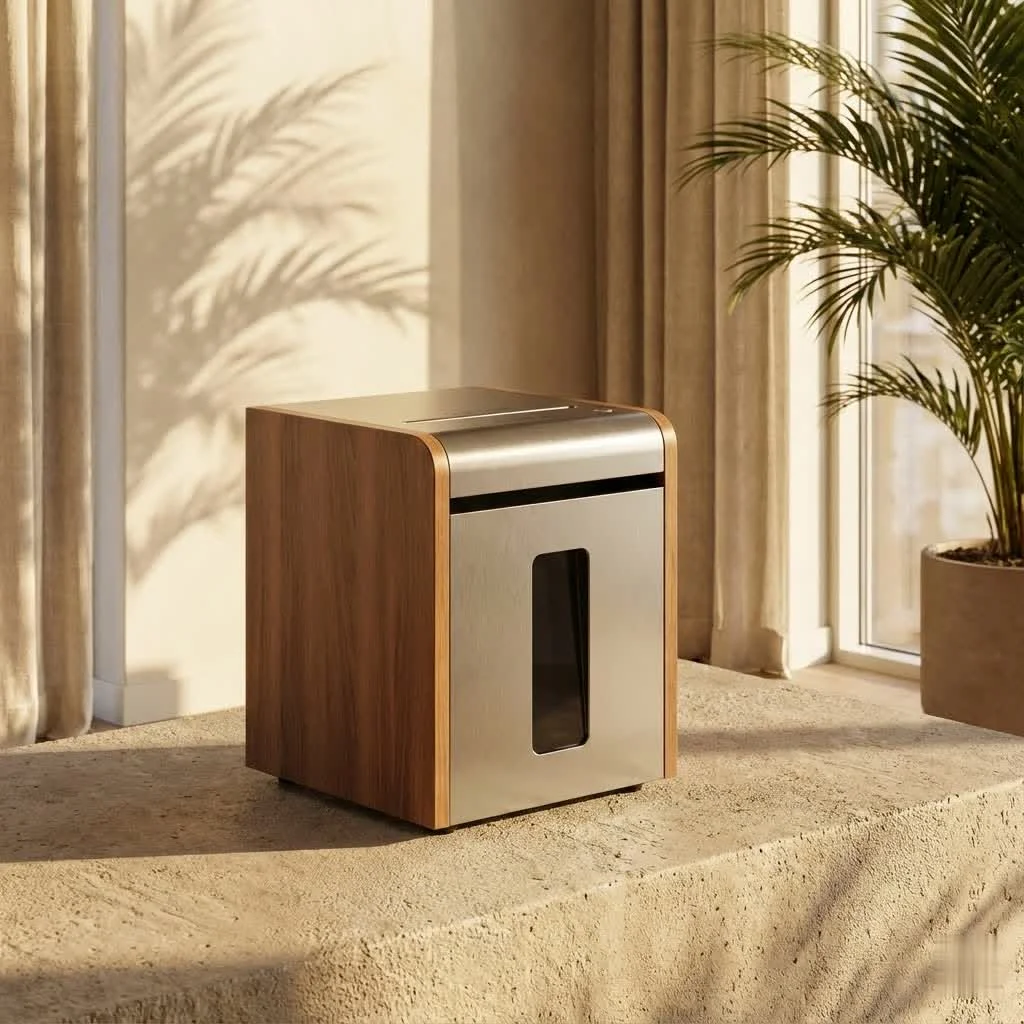
As someone who has navigated the intricacies of paper shredding for over 15 years, and as a content creator for Mrouk.com, I’ve seen countless machines come and go. Insignia has carved a niche for itself, offering practical solutions for everyday shredding needsLet’s dive deep into understanding, choosing, and maintaining your Insignia paper shredder to ensure your personal and business data remains secure.
Why Secure Your Documents with an Insignia Paper Shredder?
Identity theft is a stark reality, and discarded documents are an open invitation for fraudsters. An Insignia paper shredder provides an essential layer of defense, transforming confidential papers into unreadable confetti. But it’s not just about security; it’s about peace of mind. Knowing that your personal information is irretrievably destroyed frees you from worry and helps maintain a clutter-free, secure environment.
Insignia, a brand known for its accessible technology, offers paper shredders designed with user-friendliness and effective data destruction in mind. Whether you’re a student, a busy professional working from home, or managing a small business, an Insignia paper shredder can meet your needs without breaking the bank.
Understanding Insignia’s Range: Cut Types and Security Levels
Not all shredding is created equal. The way your Insignia paper shredder cuts documents directly impacts the security level it offers. Generally, there are three primary cut types you’ll encounter, each with varying degrees of security:
Strip-Cut Shredders
What are they? Strip-cut shredders slice paper into long, narrow strips.Security Level: This is the most basic level of security (typically DIN P-1 or P-2). While better than simply tearing documents, these strips can theoretically be reassembled.Best for: Non-sensitive documents, junk mail, or general paper waste where privacy isn’t a critical concern. Insignia primarily focuses on higher security models, so strip-cut Insignia paper shredder models are less common.
Cross-Cut Shredders
What are they? Cross-cut shredders cut paper both vertically and horizontally, turning documents into small, rectangular pieces or confetti.Security Level: Offering a higher level of security (often DIN P-3 or P-4), these machines make reassembly significantly more difficult.Best for: Most personal and small business documents, including bank statements, utility bills, and non-confidential client information. Many Insignia paper shredder models, like the 6-Sheet Crosscut or 10-Sheet Crosscut, utilize this method, effectively destroying items into small pieces, around 0.2 x 1.4 inches (4 x 35 mm).
Micro-Cut Shredders
|
Our Picks for the Best Paper Shredder in 2026
As an Amazon Associate I earn from qualifying purchases.
|
||
| Num | Product | Action |
|---|---|---|
| 1 | Fellowes 14C10 14-Sheet Cross-Cut Home Office Paper Shredder |

|
| 2 | Woolsche 12-Sheet Cross Cut Paper Shredder with Large 5.55-Gallon Basket - P-4 Security, 3-Mode Shred for Cards/CDs/Staples/Clips - Jam Proof System for Office (ETL Certified) |
|
| 3 | Amazon Basics 200-Sheet Auto Feed Cross Cut Paper Shredder with Pullout Basket, Black |
|
| 4 | Amazon Basics Cross Cut Paper and Credit Card Shredder for Security - 8-Sheet, Heavy Duty, White |
|
| 5 | Amazon Basics 8-Sheet Strip Cut Paper, CD, and Credit Card Shredder with Auto-Off Compact, Portable Design, No Basket, Extendable Arm, Black |
|
| 6 | Amazon Basics Cross Cut Paper and Credit Card Shredder, 12 Sheet (New Model), Black |
|
| 7 | Amazon Basics Paper Shredder for Home and Office, 8-Sheet Strip Cut, CD/ Credit Card Shredder, 3.4 Gallon Wastebasket , Black |
|
| 8 | Suntiko Small Paper Shredder for Home, 6 Sheet Strip Cut Paper Shredder Without Basket,Portable Shredder Extendable Arm Design with Overheat Protection for Home Office |
|
| 9 | Amazon Basics 6 Sheet Cross Cut Paper and Credit Card Home Office Shredder with 3.8 Gallon Bin, Black |
|
| 10 | Amazon Basics 8-Sheet Cross Cut Paper Shredder and Credit Card Shredder - Black |
|
What are they? Micro-cut shredders provide the highest level of destruction, mincing paper into tiny, confetti-like particles.Security Level: These are the gold standard for security (typically DIN P-4, P-5, or even higher), making documents virtually impossible to reconstruct.Best for: Highly sensitive and confidential information such as financial records, medical documents, legal papers, and anything containing personally identifiable information. An Insignia 10-Sheet Microcut Shredder, for example, transforms documents into minuscule 0.15 x 0.47 inch (4 x 12 mm) particles, offering superior protection.
When choosing an Insignia paper shredder, always consider the sensitivity of the documents you’ll be destroying. For maximum peace of mind, especially with critical personal or business data, a micro-cut Insignia paper shredder is always my top recommendation.
Key Features to Look for in Your Insignia Paper Shredder
Beyond the cut type, several features contribute to the efficiency, safety, and longevity of your paper shredder. Insignia models often incorporate a range of practical functionalities:
Sheet Capacity
What is it? This refers to the maximum number of sheets an Insignia paper shredder can shred in a single pass.Why it matters: Higher capacity means less time spent feeding documents, speeding up your shredding tasks. Insignia offers models ranging from 6-sheet cross-cut to 10-sheet micro-cut capacity, suitable for home and small office volumes.
Shredding Material Versatility
Can an Insignia paper shredder handle more than just paper? Absolutely! Many Insignia models are designed to destroy credit cards, CDs/DVDs, staples, and even small paper clips. This versatility eliminates the hassle of removing these items beforehand, simplifying your shredding process and further protecting your data across various media.
Run Time and Cool-Down Period
What are they? Run time is how long the shredder can continuously operate before needing a break. The cool-down period is the time it takes to reset.Why it matters: Smaller, personal Insignia paper shredders might have a run time of 3-15 minutes, with a cool-down period of 20-30 minutes. If you have large volumes of documents to shred infrequently, these models are fine. For more frequent or moderate batch shredding, consider models with longer run times to avoid constant interruptions.
Waste Bin Capacity and Design
Why it matters: A larger bin (e.g., 3-5.6 gallons on Insignia models) means fewer trips to empty it. Look for pull-out bins for easy disposal and a viewing window to quickly assess when it’s full. Some Insignia paper shredders also feature wheels for easy mobility.
Safety and Convenience Features
- Overload Protection: Prevents jams and motor strain by detecting when too much paper is inserted.
- Auto Start/Stop: Automatically starts when paper is detected and stops when shredding is complete.
- Reverse Function: Crucial for clearing paper jams, allowing you to back out stubborn material. Many Insignia models include a manual reverse function.
- Quiet Operation: Especially important for home offices or shared workspaces. Many users praise Insignia shredders for their relatively quiet performance.
- Safety Interlock: Automatically stops the shredder if the shredder head is removed from the wastebasket, a vital safety feature for homes with children or pets.
Maximizing the Lifespan of Your Insignia Paper Shredder
Even the most robust Insignia paper shredder needs a little love and attention to perform optimally for years to come. Proper usage and regular maintenance are key.
Smart Usage Practices
- Respect Sheet Capacity: Never force more sheets than your Insignia paper shredder is rated for. Overloading is the quickest way to cause jams and strain the motor. If your Insignia 10-sheet shredder struggles with 10 sheets, try feeding 5-7 instead.
- Mind the Run Time: Pay attention to the maximum continuous run time and allow your shredder to cool down when the thermal protection kicks in. Pushing it past its limit can lead to overheating and premature wear.
- Feed Evenly: Try to feed paper straight and avoid crumpled or folded sheets that can lead to uneven shredding and potential jams.
Essential Maintenance: Oiling and Cleaning
Regular maintenance is the secret sauce to a long-lasting, efficient Insignia paper shredder.
Oiling Your Shredder
Why oil? Over time, paper dust accumulates on the cutting blades, increasing friction and dulling the cutters. Oiling lubricates the blades, reduces friction, and ensures smooth, clean cuts, preventing jams and prolonging motor life.
How often? The frequency depends on usage. For light home use, oil your Insignia paper shredder every two weeks or after every few bin empties. For moderate to heavy use, or for micro-cut models, consider oiling weekly or after every bin emptying. Some experts recommend oiling cross-cut shredders every 30 minutes of continuous use.
How to oil:
- Use the Right Oil: ONLY use shredder-specific oil. Never use vegetable oil, WD-40, or other petroleum-based lubricants, as these can gum up the blades, attract more dust, create a fire hazard, and void your warranty.
- The “Zigzag” Method: Take a sheet or two of paper. Drizzle shredder oil across it in a zigzag pattern, ensuring even coverage but not saturating the paper.
- Shred and Reverse: Feed the oiled paper into your Insignia paper shredder. Once it’s completely shredded, run the shredder in reverse for 10-15 seconds. This helps distribute the oil evenly across all the cutting blades.
- Clean Up: Follow up by shredding a few clean sheets of paper to absorb any excess oil.
Cleaning Your Shredder
- Empty the Bin Regularly: Don’t wait until the bin is overflowing. A full bin can cause back pressure and lead to jams.
- Clear Debris: With the shredder unplugged, carefully inspect the paper entry slot and cutting mechanism. Use tweezers or a soft brush to remove any stuck paper particles or dust. A can of compressed air can also help dislodge fine dust from the sensors and blades.
- Wipe Down: Gently wipe the exterior of your Insignia paper shredder with a soft, slightly damp cloth (unplugged, of course) to keep it looking good.
Troubleshooting Common Insignia Shredder Issues
Even with the best care, sometimes issues arise. Here are quick fixes for common problems you might encounter with your Insignia paper shredder:
The Shredder Won’t Start
- Check Power: Ensure it’s securely plugged into a working outlet.
- Head Alignment: Make sure the shredder head is correctly seated on the wastebasket. Many Insignia models have a safety switch that prevents operation if the head isn’t aligned properly.
- Overheat Protection: If you’ve been shredding for a while, the unit might have overheated. Turn it off and let it cool down for 20-30 minutes.
- Sensor Blockage: Dust or small paper bits can block the paper entry sensor. Gently clean the sensor area with a soft cloth or use an index card to push through and clear any obstruction.
Paper Jam
- Reverse, Reverse, Reverse: Your first line of defense is the reverse function. Hold the reverse button to try and back out the jammed paper. You might need to gently pull the paper from the entry slot as it reverses.
- Clear the Bin: Ensure the wastebasket isn’t full, as this can contribute to jams.
- Unplug and Inspect: If reverse doesn’t work, unplug the shredder. Remove the shredder head and carefully (and safely!) remove visible paper fragments with tweezers or small pliers.
- Oil the Jam: For stubborn jams, drizzle shredder oil directly into the blades where the paper is stuck. Let it soak for about 30 minutes to soften the paper, then try the reverse function again. You can also try feeding a rigid piece of cardstock (like an old greeting card) to help push the jam through.
Shredder is Noisy or Slow
- Oiling Time! Increased noise or sluggish performance is a tell-tale sign that your Insignia paper shredder blades need lubrication. Follow the oiling steps outlined above.
- Overload: Ensure you’re not consistently trying to shred more than the maximum sheet capacity.
- Full Bin: A full bin can also cause the motor to work harder and sound noisier.
Expert Tips from Mrouk.com on Secure Shredding
At Mrouk.com, we believe that informed users are secure users. Here are a few final thoughts from my years in the field:
- Location, Location, Location: Place your Insignia paper shredder in a well-ventilated area to prevent overheating, especially during heavy use.
- Think Beyond Paper: old credit cards, expired IDs, and even some data CDs. Many Insignia paper shredder models are built to handle these, providing comprehensive data destruction.
- Recycle Responsibly: Once shredded, consider how you dispose of the waste. Some shredding facilities accept shredded paper for recycling, or you can mix it with other waste to further obscure the fragments.
- Be Proactive: Don’t let documents pile up. Shred regularly to avoid overwhelming your machine and to maintain continuous security.
“Maintaining a secure home or office starts with diligent document destruction,” advises John Mrouk, founder of Mrouk.com. “An Insignia paper shredder, when properly used and maintained, is a powerful ally in this endeavor, providing peace of mind one shredded document at a time.”
Conclusion
Choosing and utilizing an Insignia paper shredder is a smart investment in your personal and business security. By understanding the different cut types, leveraging key features, and committing to simple maintenance, you can ensure your Insignia paper shredder operates efficiently and securely for years. effective document destruction is a critical step in preventing identity theft and safeguarding your sensitive information. Shred with confidence, and keep your data safe!
Frequently Asked Questions
What are the main types of Insignia paper shredders available?
Insignia primarily offers cross-cut and micro-cut paper shredders. Cross-cut models, like the 6-Sheet or 10-Sheet Crosscut, turn documents into small pieces around 0.2 x 1.4 inches (4 x 35 mm), while micro-cut models, such as the 10-Sheet Microcut, create minuscule 0.15 x 0.47 inch (4 x 12 mm) particles for higher security.
How often should I oil my Insignia paper shredder for best performance?
For light home use, oil your Insignia paper shredder every two weeks or after every few bin empties. For moderate to heavy use, or for micro-cut models, consider oiling weekly or after every bin emptying. Always use shredder-specific oil to lubricate the blades and prevent jams.
Can Insignia paper shredders destroy items other than paper?
Yes, many Insignia paper shredder models are designed to destroy credit cards, CDs/DVDs, staples, and small paper clips. This versatility helps ensure comprehensive data destruction across various media, simplifying your shredding process.
What should I do if my Insignia paper shredder won't start?
First, check that the shredder is securely plugged into a working outlet and that the shredder head is correctly seated on the wastebasket. If it has been used for a while, the unit might have overheated, so turn it off and let it cool down for 20-30 minutes. Also, clean the paper entry sensor area to remove any dust or small paper bits.
What is the best way to clear a paper jam in an Insignia shredder?
Your first step should be to use the reverse function to try and back out the jammed paper, gently pulling from the entry slot if needed. Ensure the wastebasket isn't full. If the jam persists, unplug the shredder, remove the head, and carefully remove visible paper fragments with tweezers. For stubborn jams, drizzle shredder oil directly into the blades, let it soak for 30 minutes, then try reversing again.
Maximize the Lifespan of Your Insignia Paper Shredder
Proper usage and regular maintenance are crucial for ensuring your Insignia paper shredder performs optimally and lasts for years. Follow these steps to keep your shredder in top condition.
Always respect the sheet capacity of your Insignia paper shredder to prevent jams and motor strain. Pay attention to the maximum continuous run time and allow the shredder to cool down when thermal protection activates. Feed paper straight and avoid crumpled sheets to ensure even shredding.
Oil your shredder with shredder-specific oil to lubricate the blades, reduce friction, and prevent paper dust accumulation. For light use, oil every two weeks; for moderate to heavy use or micro-cut models, oil weekly or after every bin emptying. Drizzle oil in a zigzag pattern on a sheet of paper, shred it, then run in reverse for 10-15 seconds to distribute the oil.
Empty the waste bin regularly to prevent back pressure and jams. With the shredder unplugged, carefully inspect and clear any stuck paper particles or dust from the entry slot and cutting mechanism using tweezers or a soft brush. Use compressed air to dislodge fine dust and wipe the exterior with a soft, damp cloth.
If your shredder won't start, check power, head alignment, and for overheating or sensor blockage. For paper jams, use the reverse function, clear the bin, or unplug and manually remove fragments. Increased noise or slow operation usually indicates a need for oiling or that the bin is full.
Get our weekly buyer guide
Practical specs, not advice. Unsubscribe anytime.

I’ve been using an Insignia cross-cut shredder for my home office for about six months now, and it’s been fantastic. It handles all my old bills and statements with ease, turning them into unreadable confetti. The overload protection feature has saved me a couple of times when I got a bit too ambitious with the stack size. Definitely gives me peace of mind about identity theft.
I got an Insignia shredder for a pretty good price, and it does the job for basic document destruction. However, I’ve noticed it struggles a bit with thicker cardstock or multiple sheets at once, even within its stated capacity. It’s fine for occasional use, but if you have a lot to shred regularly, you might want to consider a more heavy-duty model.
My Insignia micro-cut shredder is a solid performer. I appreciate how fine the shreds are, making it virtually impossible to piece anything back together. It’s perfect for those really sensitive documents. My only minor gripe is that the bin fills up pretty quickly due to the small shred size, but that’s a trade-off I’m willing to make for the extra security.
After years of dealing with flimsy shredders, my Insignia has been a game changer. I love that it can handle more than just paper; I’ve even put old credit cards through it without a hitch. The balance of performance and affordability is exactly what I was looking for. Highly recommend for anyone needing reliable document security at home.