A cross-cut paper shredder is an essential tool for data protection, transforming sensitive documents into unreadable confetti by cutting paper both horizontally and vertically. This method provides a significantly higher level of security (P-3 to P-4) compared to strip-cut shredders, making it virtually impossible to reconstruct confidential information like names, account numbers, and addresses. For most home and small office users, a cross-cut shredder offers an ideal balance of security, speed, and cost-effectiveness.
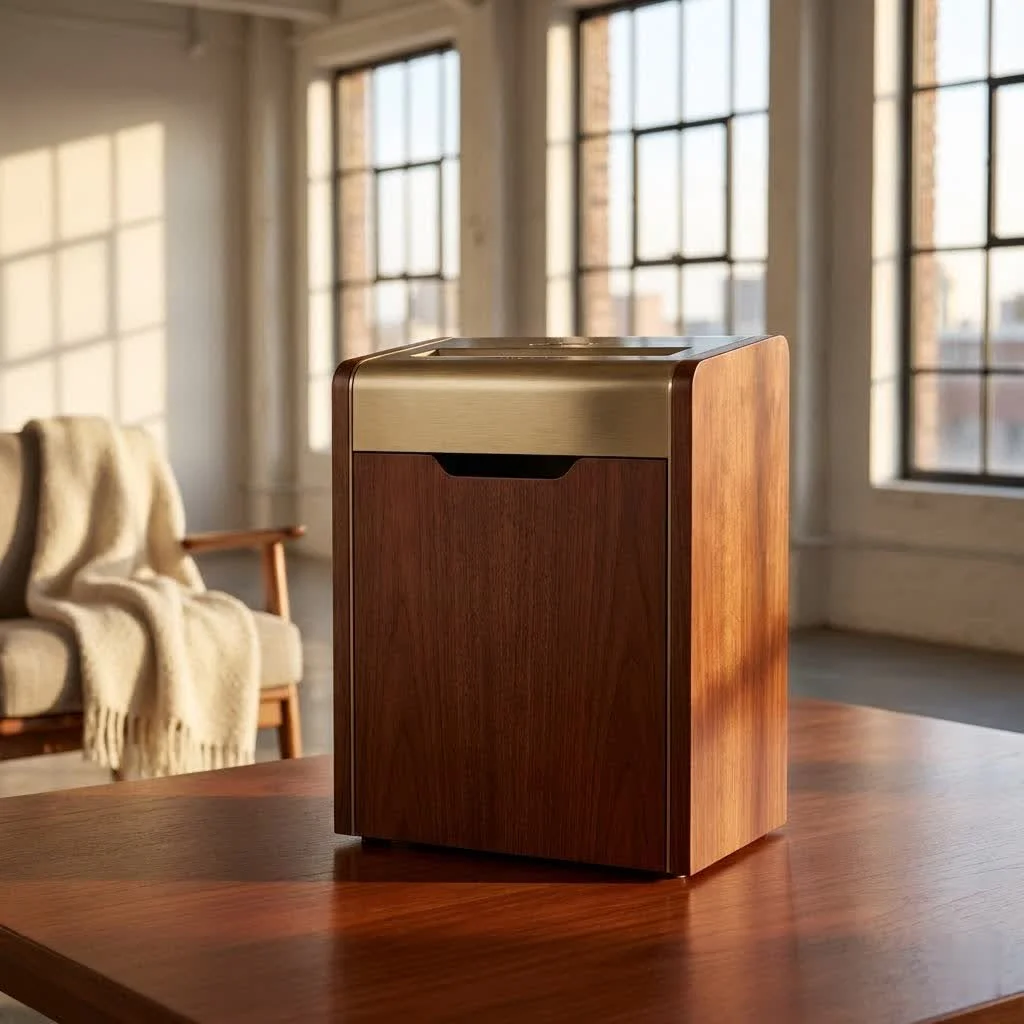
What Exactly is a Cross-Cut Paper Shredder?
At its core, a cross-cut paper shredder employs a sophisticated cutting mechanism that chops paper both horizontally and vertically, creating small, irregular pieces, often referred to as “confetti-cut” or “diamond-cut” particles. This method offers a significantly higher level of security compared to traditional strip-cut shredders, which only slice paper into long, narrow strips that can be much more easily reconstructed.
Think of it this way: a strip-cut shredder turns your document into ramen noodles, while a cross-cut shredder turns it into rice grains. Which would you rather try to put back together? This dual-action cutting ensures that crucial information like names, account numbers, and addresses become virtually impossible to piece back together, offering robust protection for your privacy. “For any document containing personal or sensitive information, a cross-cut shredder isn’t just a convenience, it’s a necessity,” advises Eleanor Vance, a veteran in document security for over two decades.
Cross-Cut vs. Micro-Cut: Finding Your Security Sweet Spot
While cross-cut shredders offer excellent security, you might also hear about “micro-cut” shredders. Here’s a quick comparison to help you understand the nuances:
| Feature | Strip-Cut Shredder | Cross-Cut Shredder | Micro-Cut Shredder |
|---|---|---|---|
| Shred Size | Long, narrow strips | Small, confetti-like pieces | Tiny, dust-like particles |
| Security Level | Low (P-1, P-2) | Medium-High (P-3, P-4) | Very High (P-5, P-6, P-7) |
| Reconstruction | Easy | Very Difficult | Virtually Impossible |
| Capacity | Generally higher sheet count | Good sheet count | Often lower sheet count |
| Cost | Most affordable | Mid-range | Most expensive |
| Waste Volume | Takes up more bin space | Compacts well in the bin | Most compact waste volume |
| Noise Level | Varies, can be loud | Generally moderate | Often quieter |
For most home and small office users, a P-3 or P-4 cross-cut shredder provides an ideal balance of security, speed, and cost-effectiveness. Micro-cut shredders are usually reserved for highly confidential documents where the utmost security is paramount, often in government or corporate settings.
Why Choose a Cross-Cut Shredder? The Benefits Unveiled
Opting for a cross-cut paper shredder brings a multitude of advantages to your document disposal strategy:
- Enhanced Security: This is the paramount benefit. By converting your documents into small, irregular fragments, cross-cut shredders make it incredibly difficult for identity thieves or competitors to reconstruct sensitive data. This dramatically reduces your risk of fraud and data breaches.
- Compact Waste Volume: Because paper is shredded into tiny pieces, it occupies significantly less space in the waste bin. This means you won’t have to empty the bin as frequently, making your shredding process more efficient and less cumbersome.
- Versatility: Many cross-cut shredders are designed to handle more than just paper. They can often shred staples, small paper clips, and even credit cards, adding convenience and eliminating the need for pre-sorting your documents.
- Cost-Effectiveness: While a micro-cut shredder offers higher security, a good quality cross-cut shredder provides excellent protection at a more accessible price point, making it a smart investment for most users without breaking the bank.
- Compliance: For businesses, using a cross-cut shredder can help meet data protection regulations like GDPR or HIPAA, demonstrating a commitment to safeguarding client and employee information.
How to Pick the Perfect Cross-Cut Shredder for Your Needs
Choosing the right cross-cut paper shredder isn’t a one-size-fits-all decision. Consider these factors to ensure you get a machine that perfectly fits your requirements:
Assess Your Security Requirements (P-Rating)
|
Our Picks for the Best Paper Shredder in 2026
As an Amazon Associate I earn from qualifying purchases.
|
||
| Num | Product | Action |
|---|---|---|
| 1 | Amazon Basics Cross Cut Paper and Credit Card Shredder, 12 Sheet (New Model), Black |

|
| 2 | Amazon Basics 6 Sheet Cross Cut Paper and Credit Card Home Office Shredder with 3.8 Gallon Bin, Black |
|
| 3 | Amazon Basics Paper Shredder for Home and Office, 8-Sheet Strip Cut, CD/ Credit Card Shredder, 3.4 Gallon Wastebasket , Black |
|
| 4 | Fellowes 14C10 14-Sheet Cross-Cut Home Office Paper Shredder |
|
| 5 | Amazon Basics Cross Cut Paper and Credit Card Shredder for Security - 8-Sheet, Heavy Duty, White |
|
| 6 | Amazon Basics 8-Sheet Strip Cut Paper, CD, and Credit Card Shredder with Auto-Off Compact, Portable Design, No Basket, Extendable Arm, Black |
|
| 7 | Amazon Basics 8-Sheet Cross Cut Paper Shredder and Credit Card Shredder - Black |
|
| 8 | Woolsche 12-Sheet Cross Cut Paper Shredder with Large 5.55-Gallon Basket - P-4 Security, 3-Mode Shred for Cards/CDs/Staples/Clips - Jam Proof System for Office (ETL Certified) |
|
| 9 | Suntiko Small Paper Shredder for Home, 6 Sheet Strip Cut Paper Shredder Without Basket,Portable Shredder Extendable Arm Design with Overheat Protection for Home Office |
|
| 10 | Amazon Basics 200-Sheet Auto Feed Cross Cut Paper Shredder with Pullout Basket, Black |
|
The security level, or P-rating, is crucial. For general home use and everyday sensitive documents, a P-3 rated cross-cut shredder is usually sufficient. If you handle highly sensitive personal or financial records, or work in a small office with confidential data, a P-4 rating offers even greater peace of mind. a higher P-rating means smaller shred particles and enhanced security.
Consider Sheet Capacity and Run Time
- Sheet Capacity: How many sheets can the shredder handle in a single pass? If you frequently shred large stacks of documents, a higher sheet capacity (e.g., 10-15 sheets) will save you time and effort.
- Run Time: How long can the shredder operate continuously before needing a cool-down period? For occasional home use, a shorter run time (e.g., 5-10 minutes) might be acceptable. For frequent or heavy shredding, look for models with longer run times (e.g., 20+ minutes) to avoid frustrating interruptions.
Evaluate Bin Size and Features (Auto-Feed, Jam Protection)
- Bin Size: A larger waste bin means less frequent emptying. If you shred often, a bin of 5 gallons or more can be a real time-saver.
- Auto-Feed: Some advanced models feature an auto-feed tray, allowing you to load a stack of paper and walk away while the machine shreds automatically. This is a major upgrade for large shredding tasks.
- Jam Protection: Look for features like “jam-proof” technology or “reverse function” which help prevent frustrating paper jams, extending the life of your shredder and making operation smoother.
Noise Level: A Quiet Office is a Happy Office
Shredders can be surprisingly noisy. If your shredder will be used in a shared living space or an office environment, consider models marketed as “quiet” or “low noise.” Some premium models operate at sound levels comparable to a normal conversation, preventing disruption.
Mastering Your Cross-Cut Shredder: Usage and Maintenance Tips
To ensure your cross-cut paper shredder performs optimally and lasts for years, proper usage and routine maintenance are essential.
Don’t Overfeed!
The most common cause of shredder jams is overloading the machine. Always adhere to the manufacturer’s recommended sheet capacity. Trying to force too many sheets through at once can strain the motor, dull the blades, and lead to frustrating jams. “Patience is a virtue, especially when shredding. Resist the urge to cram in just one more sheet,” warns Eleanor Vance.
Regular Oiling is Key
Just like any other machine with moving parts, your shredder’s blades need lubrication. Shredder oil (never use WD-40 or other multi-purpose oils) helps to keep the cutting mechanism sharp and prevents paper dust from building up. Oil your shredder after every 15-30 minutes of continuous use, or at least once a month if used infrequently. Simply apply a few lines of oil across the paper entry slot and run a sheet of paper through.
Empty the Bin Promptly
Allowing the waste bin to overfill can cause shredded particles to back up into the cutting head, leading to jams and reduced efficiency. Make it a habit to empty the bin when it’s about three-quarters full.
Clean the Blades
Over time, paper dust and small fibers can accumulate on the cutting blades. Periodically, you can carefully use a stiff brush or a vacuum cleaner with a brush attachment to remove this buildup. Always unplug the shredder before attempting any cleaning.
Troubleshooting Common Cross-Cut Shredder Issues
Even the most reliable cross-cut paper shredder can encounter a hiccup now and then. Here’s how to tackle the most common problems:
- Jamming: If paper gets stuck, immediately switch the shredder to reverse mode. This often clears the jam. If it persists, unplug the machine, carefully remove any visible paper, and try oiling the blades before attempting to shred again.
- Overheating: Most modern shredders have thermal overload protection. If the machine suddenly stops, it’s likely overheated. Turn it off, unplug it, and let it cool down for 20-30 minutes. Once cool, it should resume normal operation. To prevent this, respect the run time limits.
- Not Shredding/Making Strange Noises: This could indicate dull blades or a motor issue. Ensure the bin is correctly seated and the power is connected. If the problem continues after oiling and checking for jams, it might be time for a professional repair or a new machine.
Frequently Asked Questions About Cross-Cut Shredders
What is the primary advantage of a cross-cut shredder over a strip-cut shredder?
The primary advantage is vastly improved security. A cross-cut shredder creates small, confetti-like pieces, making it far more difficult to reconstruct documents compared to the long strips produced by a strip-cut shredder.
What P-level is a good cross-cut shredder?
Most good cross-cut shredders fall into the P-3 or P-4 security levels. P-3 is suitable for general sensitive documents, while P-4 offers enhanced security for highly confidential information.
Can a cross-cut shredder handle credit cards and CDs?
Many, but not all, cross-cut shredders can handle credit cards. Fewer models are designed for CDs. Always check the product specifications to confirm its capabilities for non-paper items.
How often should I oil my cross-cut paper shredder?
You should oil your cross-cut shredder after every 15-30 minutes of cumulative use, or at least once a month if used infrequently, to maintain optimal performance and prolong blade life.
What kind of oil should I use for my shredder?
Only use shredder-specific oil, which is typically a vegetable-based lubricant. Never use motor oil, WD-40, or other petroleum-based products, as they can damage your shredder.
Why does my cross-cut shredder keep jamming?
Frequent jamming is often caused by overfeeding (inserting too many sheets at once), an overfull waste bin, or blades that need oiling. Always follow sheet capacity limits and maintain your machine.
Is a cross-cut shredder noisy?
Noise levels vary greatly between models. While some can be quite loud, many newer cross-cut shredders are designed for quieter operation, especially those intended for home or office environments.
Final Shred: Securing Your Future
Investing in a cross-cut paper shredder is a proactive step towards securing your personal and professional information. In a world where data breaches are becoming increasingly common, the simple act of properly disposing of sensitive documents can make a world of difference. By understanding how these machines work, choosing the right one for your needs, and following proper maintenance routines, you’re not just shredding paper; you’re building a fortress around your privacy and peace of mind. Make smart shredding a cornerstone of your data security strategy today and take control of your information.
Frequently Asked Questions
What is the primary advantage of a cross-cut shredder over a strip-cut shredder?
The primary advantage of a cross-cut shredder is vastly improved security. It creates small, confetti-like pieces, making document reconstruction far more difficult compared to the long strips produced by a strip-cut shredder. This significantly reduces the risk of identity theft and data breaches.
What P-level is considered good for a cross-cut shredder?
Most good cross-cut shredders fall into the P-3 or P-4 security levels. A P-3 rating is suitable for general sensitive documents, while a P-4 rating offers enhanced security for highly confidential information, providing smaller shred particles.
How often should I oil my cross-cut paper shredder for optimal performance?
You should oil your cross-cut shredder after every 15-30 minutes of cumulative use, or at least once a month if used infrequently. This routine maintenance helps maintain optimal performance, keeps the cutting mechanism sharp, and prolongs blade life.
What kind of oil is safe to use for my paper shredder?
Only use shredder-specific oil, which is typically a vegetable-based lubricant. Never use motor oil, WD-40, or other petroleum-based products, as these can damage your shredder's internal components and void its warranty.
Why does my cross-cut shredder keep jamming frequently?
Frequent jamming is often caused by overfeeding (inserting too many sheets at once), an overfull waste bin, or blades that need oiling. Always adhere to the manufacturer's recommended sheet capacity and ensure the bin is emptied regularly to prevent issues.
Can a cross-cut shredder handle credit cards and CDs?
Many, but not all, cross-cut shredders are designed to handle credit cards, offering added convenience for disposing of plastic. Fewer models are specifically designed to shred CDs. Always check the product specifications to confirm its capabilities for non-paper items before attempting to shred them.
How to Maintain Your Cross-Cut Paper Shredder
Proper usage and routine maintenance are essential to ensure your cross-cut paper shredder performs optimally and lasts for years, preventing jams and extending its lifespan.
Always adhere to the manufacturer's recommended sheet capacity to prevent jams. Forcing too many sheets through at once can strain the motor and dull the blades, leading to frustrating interruptions and potential damage.
Lubricate your shredder's blades with shredder-specific oil after every 15-30 minutes of continuous use, or at least once a month for infrequent use. Apply a few lines of oil across the paper entry slot and run a sheet of paper through to distribute it evenly.
Make it a habit to empty the waste bin when it's about three-quarters full. Allowing the bin to overfill can cause shredded particles to back up into the cutting head, leading to jams and reduced efficiency.
Periodically remove accumulated paper dust and small fibers from the cutting blades. Carefully use a stiff brush or a vacuum cleaner with a brush attachment, always ensuring the shredder is unplugged before attempting any cleaning.
Get our weekly buyer guide
Practical specs, not advice. Unsubscribe anytime.

This shredder is great for home office use. I appreciate the P-4 security level mentioned; it really makes me feel secure about disposing of old bank statements and medical bills. It’s a bit louder than I expected, but it gets the job done quickly and efficiently, so I can’t complain too much.
I got this cross-cut shredder for my small business, and while the confetti-cut is definitely secure, I’ve noticed it tends to jam if I try to feed more than 5-6 sheets at once, even though it’s rated for more. It’s fine for light use, but for heavier shredding days, it can be a bit frustrating. Still, it’s better than my old strip-cut.
I finally upgraded to a cross-cut shredder after years of using a basic strip-cut one, and the difference is night and day. The peace of mind knowing my sensitive documents are truly unreadable confetti is worth every penny. It handles credit cards too, which is a huge bonus for decluttering old wallets.
Seriously impressed with how well this cross-cut shredder handles everything. I was worried about the cost-effectiveness for a home user, but it’s been a fantastic investment. No more worrying about identity theft from old utility bills or tax documents. It’s super easy to empty too.