An Aurora paper shredder is an indispensable tool for safeguarding sensitive information by transforming physical documents into unreadable confetti, thereby preventing identity theft and corporate espionage. These shredders are renowned for their robust performance, user-friendly features, and innovative safety technologies like “Jam Free” and “ShredSafe,” making them a trusted choice for both personal and professional document destruction needs.
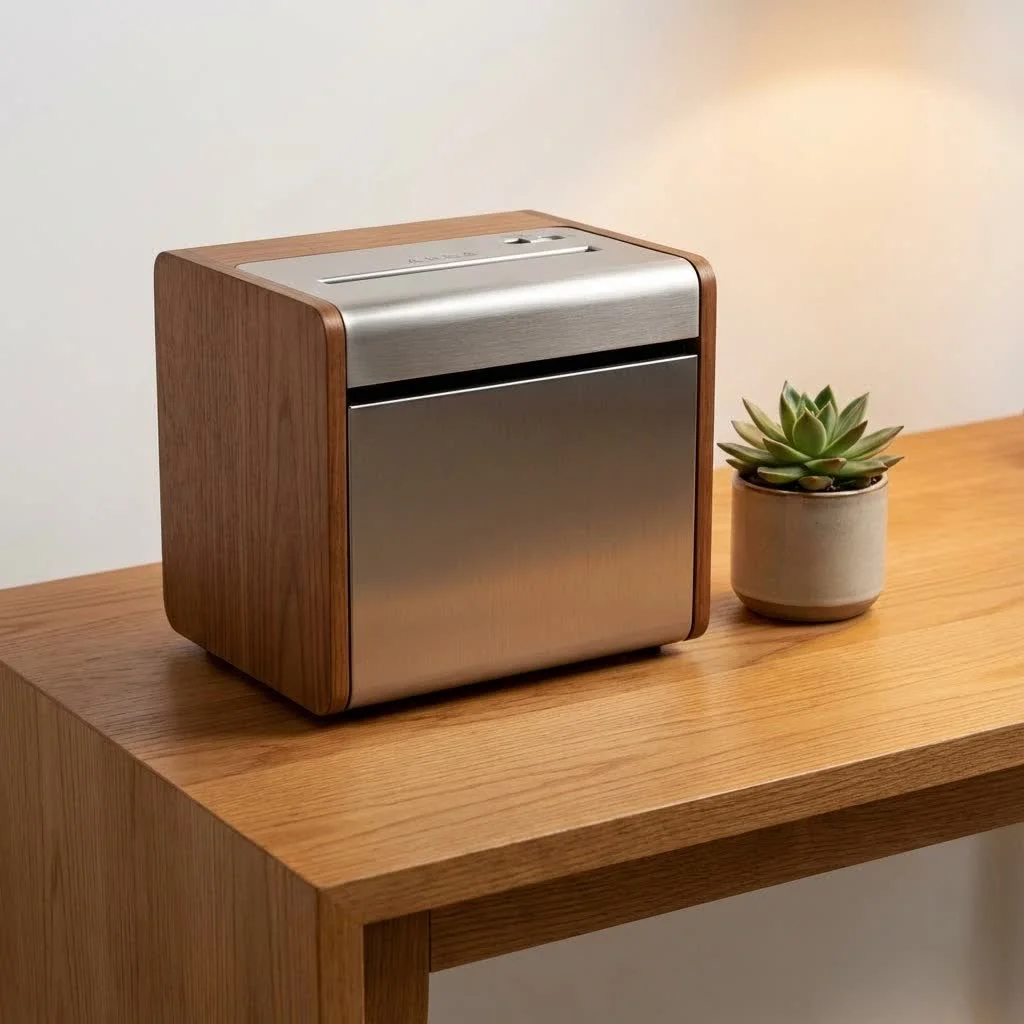
Understanding Aurora Paper Shredders: Why They Stand Out
Aurora has established itself as a trusted name in the paper shredder industry, known for blending robust performance with user-friendly features. From compact personal models to heavy-duty office workhorses, Aurora paper shredders are engineered to meet diverse security needs. They consistently receive high praise for their shredding quality and durability, often outperforming competitors in speed and noise levels. Many Aurora models boast innovative features like “Jam Free” technology to prevent frustrating paper clogs and “ShredSafe” for enhanced user safety. For shop curated paper shredders on this site.
Types of Aurora Paper Shredders: Finding Your Perfect Match
Choosing the right Aurora paper shredder starts with understanding the different shredding mechanisms available. Each type offers a distinct level of security, directly impacting how your confidential documents are destroyed.
Aurora Strip-Cut Shredders: The Basics of Document Destruction
Strip-cut shredders are the simplest and most economical option. They cut documents into long, narrow strips, typically around 1/4-inch wide. While this method is suitable for general, non-sensitive documents like junk mail, it offers the lowest level of security. The strips can theoretically be reassembled, making them less ideal for highly confidential information.
- Pros: Generally faster, less expensive, and can often handle more sheets per pass compared to other types.
- Cons: Lowest security level, shredded material takes up more bin space.
Aurora Cross-Cut Shredders: Enhanced Security for Everyday Needs
Moving up in security, Aurora cross-cut shredders cut paper both horizontally and vertically, transforming documents into smaller, confetti-like pieces. This significantly increases the difficulty of reassembly, making them a popular choice for home offices and small businesses handling confidential information. Many Aurora cross-cut models offer P-3 or P-4 security levels, which are adequate for most personal and business documents.
- Pros: Better security than strip-cut, shredded material is more compact (requiring less frequent bin emptying), and a good balance of speed and price.
- Cons: Slower than strip-cut, slightly more expensive, and can still jam if overloaded.
Aurora Micro-Cut Shredders: The Pinnacle of Document Security
For those who prioritize maximum security, Aurora micro-cut shredders are the ultimate solution. These machines reduce a single sheet of paper into thousands of minuscule particles, often achieving P-4 or P-5 security levels. The resulting confetti is virtually impossible to reconstruct, providing the highest defense against identity theft and data breaches. This makes micro-cut shredders ideal for government agencies, legal firms, or anyone handling extremely sensitive personal or financial data.
- Pros: Highest security level, significantly reduces shredded waste volume, and offers unparalleled peace of mind.
- Cons: Generally the slowest and most expensive option, often has a lower sheet capacity per pass, and may have shorter continuous run times.
| Shred Type | Security Level (DIN 66399) | Particle Size | Best For |
|---|---|---|---|
| Strip-Cut | P-1, P-2 | Long, thin strips | Non-sensitive documents, general waste |
| Cross-Cut | P-3, P-4 | Small, confetti-like pieces | Confidential personal & business documents |
| Micro-Cut | P-4, P-5, P-6, P-7 | Tiny, dust-like particles | Highly sensitive, top-secret information |
Choosing the Right Aurora Paper Shredder for Your Needs
Selecting the perfect Aurora shredder involves more than just picking a cut type. Consider these crucial factors to ensure your investment perfectly aligns with your document security demands:
What Security Level Do You Truly Need?
|
Our Picks for the Best Paper Shredder in 2026
As an Amazon Associate I earn from qualifying purchases.
|
||
| Num | Product | Action |
|---|---|---|
| 1 | Amazon Basics 8-Sheet Strip Cut Paper, CD, and Credit Card Shredder with Auto-Off Compact, Portable Design, No Basket, Extendable Arm, Black |

|
| 2 | Fellowes 14C10 14-Sheet Cross-Cut Home Office Paper Shredder |
|
| 3 | Amazon Basics 6 Sheet Cross Cut Paper and Credit Card Home Office Shredder with 3.8 Gallon Bin, Black |
|
| 4 | Amazon Basics 200-Sheet Auto Feed Cross Cut Paper Shredder with Pullout Basket, Black |
|
| 5 | Amazon Basics Cross Cut Paper and Credit Card Shredder for Security - 8-Sheet, Heavy Duty, White |
|
| 6 | Suntiko Small Paper Shredder for Home, 6 Sheet Strip Cut Paper Shredder Without Basket,Portable Shredder Extendable Arm Design with Overheat Protection for Home Office |
|
| 7 | Woolsche 12-Sheet Cross Cut Paper Shredder with Large 5.55-Gallon Basket - P-4 Security, 3-Mode Shred for Cards/CDs/Staples/Clips - Jam Proof System for Office (ETL Certified) |
|
| 8 | Amazon Basics Paper Shredder for Home and Office, 8-Sheet Strip Cut, CD/ Credit Card Shredder, 3.4 Gallon Wastebasket , Black |
|
| 9 | Amazon Basics Cross Cut Paper and Credit Card Shredder, 12 Sheet (New Model), Black |
|
| 10 | Amazon Basics 8-Sheet Cross Cut Paper Shredder and Credit Card Shredder - Black |
|
The DIN 66399 standard dictates security levels from P-1 (low) to P-7 (highest). For typical home use, a P-3 or P-4 cross-cut Aurora shredder is often sufficient for bank statements and utility bills. Small businesses handling client data might opt for a P-4 cross-cut or P-5 micro-cut to comply with privacy regulations. If you’re dealing with classified information, only a P-6 or P-7 micro-cut Aurora model will do.
What is an ideal shredding capacity for a home office Aurora shredder?
For a home office, an Aurora shredder with a capacity of 8 to 12 sheets per pass is generally ideal, balancing efficiency with typical household shredding volumes. Overloading a shredder can lead to jams and wear out the motor faster.
How big should the waste bin be?
A larger waste bin means less frequent emptying, which is particularly convenient for higher-volume shredding or auto-feed models. For personal use, a 3-5 gallon bin might suffice, while office environments could benefit from 8-10+ gallon bins. Some Aurora models feature pull-out bins or clear windows to monitor waste levels easily.
What is the importance of run time and cool-down period for shredders?
Continuous run time refers to how long a shredder can operate before needing a cool-down break to prevent overheating. If you have large batches of documents, look for Aurora models with longer run times (e.g., 30-60 minutes). For occasional shredding, a 5-10 minute run time is usually adequate. Longer cool-down periods can be frustrating, so consider this if you have frequent, large shredding tasks.
Is a quiet Aurora shredder really important?
Yes, especially in shared spaces or quiet office environments. Some Aurora models are specifically designed for “ultra-quiet operation,” measuring around 65 dB, which is comparable to a normal conversation. A noisy shredder can be disruptive and annoying, so check the decibel rating if sound is a concern.
What innovative safety features do Aurora shredders offer?
Aurora is known for integrating advanced safety features. “ShredSafe” automatically powers off the machine upon forced entry, protecting curious hands. “Touch Guard” stops shredding immediately if the sensor detects a bio-based object (like your hand) near the paper entry. These features are crucial, especially in households with children or pets. Many Aurora shredders can handle credit cards, CDs/DVDs, staples, and small paper clips, though it’s always recommended to remove paper clips when possible to extend blade life.
Maximizing Your Aurora Paper Shredder’s Lifespan: Usage and Maintenance Tips
Even the most robust Aurora paper shredder requires proper care to perform optimally and last for years.
How do I prevent paper jams in my Aurora shredder?
Preventing paper jams is crucial for smooth operation. Always adhere to the specified sheet capacity of your Aurora shredder and avoid inserting crumpled or wet paper. For models with “Jam Free” technology, pay attention to the electronic density monitoring system that indicates overcapacity feeding.
How often should I oil my Aurora paper shredder?
Regular oiling is the secret to a long and healthy shredder. For optimal performance, I recommend oiling your Aurora shredder at least once a month, or more frequently if you shred large volumes. You can drizzle basic vegetable or shredder oil onto a few sheets of paper and feed them through, or carefully apply oil across the feed slot. Always ensure to use non-aerosol, vegetable-based oils and never petroleum-based or flammable lubricants, as they pose a serious fire risk.
What are the steps to clear a paper jam in an Aurora shredder?
Paper jams happen, but clearing them in an Aurora shredder is usually straightforward:
- Turn Off & Unplug: Immediately switch off and unplug the shredder for safety.
- Empty the Wastebasket: A full bin can cause shredded paper to back up and jam the blades.
- Reverse: Plug the shredder back in and switch to the “R” (reverse) mode. Often, this will back out the jammed paper.
- Manual Removal (if needed): If the jam persists, unplug the shredder again. Use a blunt object like a screwdriver or needle-nose pliers to carefully pry out any visible paper pieces from the cutting teeth, making sure to keep your fingers clear. For severe jams, apply a few drops of shredder oil (or regular cooking oil) directly onto the blades and let it soak for 30 minutes to soften the paper before attempting reverse mode again with a rigid piece of cardstock to push it through.
- Restart: Once clear, switch back to “Auto/On” mode.
What should I do if my Aurora shredder overheats?
Aurora shredders are equipped with thermal protection to prevent damage. If your shredder operates continuously beyond its maximum run time and overheats, it will automatically shut off. If this occurs, simply switch the shredder off and unplug it, then allow it to cool down for at least 30 minutes before resuming operation.
Why is my Aurora shredder constantly running?
If your Aurora shredder runs constantly in “Auto/On” mode without paper, the activation sensor in the feed entry might be blocked by dust, debris, or oil. Unplug the shredder, then use a cotton swab to gently clean the sensor. You can also try inserting a rigid sheet of cardstock to clear any hidden obstructions.
How do I clean the cutting blades of my Aurora shredder?
Always unplug the shredder before cleaning. Use a dry, soft cloth or towel to wipe down the exterior. For the cutting blades, regular oiling helps keep them clean. Never use water to clean the shredder, as this can damage electrical components. Do not use canned air directly on the shredder, as this can force debris deeper into the mechanism.
Expert Insights on Document Security with Aurora Shredders
“In an era where personal data is gold, a reliable paper shredder isn’t just a convenience; it’s a critical component of your cybersecurity defense strategy,” explains Dr. Evelyn Reed, a cybersecurity analyst with a focus on physical document security. “Aurora’s commitment to higher security shred types, coupled with their robust safety features, empowers individuals and businesses to take control of their information, effectively minimizing risks of fraud and identity theft. Don’t underestimate the power of physical document destruction in protecting your digital life.”
By actively shredding sensitive documents, you’re not just creating confetti; you’re building a formidable barrier against unauthorized access to your personal and financial information. For businesses, this practice is essential for compliance with privacy regulations like HIPAA and GDPR, preventing costly data breaches and maintaining client trust.
Frequently Asked Questions About Aurora Paper Shredders
How often should I oil my Aurora paper shredder?
You should oil your Aurora paper shredder at least once a month to ensure optimal performance and longevity, or more frequently if you engage in heavy shredding sessions.
Can Aurora shredders shred credit cards and CDs?
Many Aurora paper shredder models are designed to shred credit cards and CDs/DVDs in addition to paper, providing comprehensive data destruction. Always check your specific model’s specifications.
What does ‘Jam Free’ mean on an Aurora shredder?
‘Jam Free’ technology on an Aurora shredder typically refers to features like electronic density monitoring that detects overcapacity feeding and prevents jams before they occur, or auto-reverse functions that clear minor jams automatically.
How do I clear a paper jam in my Aurora shredder?
To clear a paper jam, turn off and unplug the shredder, empty the wastebasket, and then use the reverse function. If needed, manually remove paper fragments with a blunt tool or apply shredder oil to soften stubborn jams.
What’s the difference between cross-cut and micro-cut Aurora shredders?
Cross-cut Aurora shredders cut paper into small, confetti-like pieces, offering good security, while micro-cut shredders reduce documents into much tinier, dust-like particles, providing the highest level of security.
Are Aurora paper shredders good for home use?
Yes, Aurora offers a wide range of paper shredders specifically designed for home use, balancing compact design with sufficient security levels and features for typical household document destruction needs.
Where can I buy Aurora paper shredder oil?
Aurora paper shredder oil can typically be purchased from office supply stores, online retailers, or sometimes directly from the Aurora Corporation website. You can also use basic vegetable or cooking oil as an alternative.
Secure Your World, One Shred at a Time
In a world brimming with digital vulnerabilities, the tangible threat of unsecured physical documents remains a significant concern. An Aurora paper shredder is more than just an office appliance; it’s a vital tool in your personal and professional defense against identity theft and information breaches. By understanding the different types, choosing wisely based on your specific needs, and committing to simple maintenance, you can ensure your Aurora shredder stands ready to protect your sensitive information for years to come. Take control of your document security today – your peace of mind is worth it.
Frequently Asked Questions
How often should I oil my Aurora paper shredder?
You should oil your Aurora paper shredder at least once a month to ensure optimal performance and longevity. For heavy shredding sessions, oiling more frequently is recommended. This practice helps maintain the cutting blades and prevents wear.
Can Aurora shredders shred credit cards and CDs?
Yes, many Aurora paper shredder models are designed to shred credit cards and CDs/DVDs in addition to paper. This provides comprehensive data destruction for various media types. Always check your specific model's specifications to confirm its capabilities.
What does 'Jam Free' mean on an Aurora shredder?
'Jam Free' technology on an Aurora shredder typically refers to features like electronic density monitoring that detects overcapacity feeding, preventing jams before they occur. Some models also include auto-reverse functions that clear minor jams automatically, ensuring continuous operation.
How do I clear a paper jam in my Aurora shredder?
To clear a paper jam, first turn off and unplug the shredder for safety, then empty the wastebasket. Next, plug it back in and use the reverse function to try and back out the jammed paper. If the jam persists, unplug again and manually remove paper fragments with a blunt tool, or apply shredder oil to soften stubborn jams before retrying reverse mode.
What's the difference between cross-cut and micro-cut Aurora shredders?
Cross-cut Aurora shredders cut paper into small, confetti-like pieces, offering good security (P-3 or P-4 DIN levels) suitable for most personal and business documents. Micro-cut shredders, however, reduce documents into much tinier, dust-like particles, providing the highest level of security (P-4 to P-7 DIN levels) for extremely sensitive information.
Are Aurora paper shredders good for home use?
Yes, Aurora offers a wide range of paper shredders specifically designed for home use. These models balance compact design with sufficient security levels (often P-3 or P-4) and features for typical household document destruction needs, such as bank statements and utility bills.
Get our weekly buyer guide
Practical specs, not advice. Unsubscribe anytime.

I picked up one of the compact personal models for my home office, and it’s been great for daily use. It’s not too loud, which is a plus when I’m on calls. My only minor complaint is that the bin fills up pretty quickly, so I have to empty it more often than I expected. Still, the shredding quality is excellent, and it feels very durable.
The ‘ShredSafe’ feature on my new Aurora shredder is fantastic, especially with kids around. It gives me confidence that there won’t be any accidental finger mishaps. I use it for all my sensitive documents, and it really does turn them into unreadable confetti, which is exactly what I needed to prevent identity theft. Highly recommend for anyone with a busy household.
I got an Aurora shredder for my small business, hoping for a heavy-duty office workhorse. While it shreds well, I’ve noticed it tends to overheat if I do a really large batch of documents all at once, forcing me to wait. It’s a bit frustrating when I have a lot to get through. For lighter use, it’s fine, but it’s not quite the continuous shredder I was hoping for.
I finally upgraded to an Aurora paper shredder after my old one died, and I’m so glad I did. The ‘Jam Free’ technology is a game-changer; I used to spend so much time clearing jams. This one handles everything I throw at it, from old bank statements to credit card offers, without a hitch. Definitely worth the investment for peace of mind.